Pro MA Crossover EA for MT5 - Free Source Code and Template
This tool for MetaTrader 5 is specifically engineered to streamline your trading operations. This Expert Advisor serves as automated trading software. It is utilized to monitor financial markets and execute trades based on predefined algorithmic rules, enabling precise position management without the need for constant manual oversight.
How to Setup and Use Pro MA Crossover EA for MT5 - Free Source Code and Template
1. Installation: Open the "File" menu, select "Open Data Folder," navigate to MQL/Experts, paste your file, and restart the terminal.
2. Activation: Drag the EA from the Navigator onto a chart, ensure "Allow live trading" is checked in the Common tab, and verify the AutoTrading button is green.
3. Optimization: Right-click your chart, choose "Expert List," click "Properties" to adjust inputs, and save your preferred setup as a set file for future use.
4. Maintenance: Regularly check the "Experts" tab in the terminal window to monitor trade logs and potential execution errors.
Frequently Asked Questions
Q: Why is my EA not opening trades? A: Check the "AutoTrading" button, ensure "Allow live trading" is enabled, and verify your broker allows automated trading on your account type.
Q: Can I run multiple EAs on one chart? A: No, each chart can only host one active EA; however, you can open multiple charts for different currency pairs to run several EAs.
Q: What does the "smiley face" icon mean? A: A smiley face in the top-right corner of the chart indicates the EA is successfully running; a frowny face means it is disabled.
Description & Settings
This Expert Advisor is based on a classic Moving Average crossover strategy. A trade signal is generated when the fast moving average crosses the slow moving average, confirming a potential trend direction.
Buy signals occur when the fast MA crosses above the slow MA and the price closes above the fast MA. Sell signals occur when the fast MA crosses below the slow MA and the price closes below the fast MA.
An optional multi-timeframe moving average filter can be enabled to confirm the trend direction from a higher timeframe. This helps reduce false signals and improve trade quality.
🔹 Trade Logic & Interpretation
The EA operates on a new bar basis to reduce noise and avoid excessive trading.
• Bullish condition: Fast MA crosses above Slow MA with price confirmation • Bearish condition: Fast MA crosses below Slow MA with price confirmation
If enabled, positions can be closed when the price crosses back over the fast MA, allowing dynamic exit management.
The system is trend-following and performs best in trending market conditions.
🔹 Input Parameters (External Variables)
MA Settings:
• mode_ma – Type of moving average (EMA, SMA, etc.) • period_ma_fast – Fast MA period • period_ma_slow – Slow MA period • use_ma_filter – Enable/disable higher timeframe filter • timeframe_ma_filter – Timeframe for filter MA • period_ma_filter – Period of filter MA
Risk Management:
• takeProfit – Take Profit in pips (0 = disabled) • stopLoss – Stop Loss in pips (0 = disabled) • useFastMAexit – Enable exit on price crossing fast MA • maxLotSize – Maximum lot size allowed • minEquity – Minimum equity required to trade
Trading Settings:
• MagicNumber – Unique identifier for EA trades
🔹 Recommended Settings
The EA has been tested on: • Symbol: EURUSD • Timeframe: D1 • Fast MA: 100 • Slow MA: 200
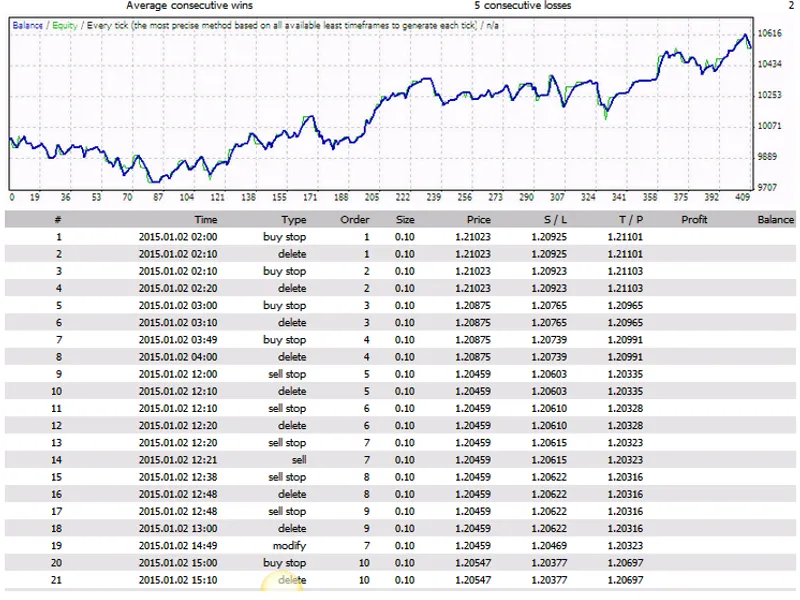
These settings showed stable performance with relatively low drawdown over long-term backtesting.
🔹 Purpose of the EA
This EA is designed as a template for traders and developers who want to: • Learn algorithmic trading • Test moving average strategies • Build and customize their own trading systems
🔹 Disclaimer (ADD THIS — IMPORTANT)
⚠️ Trading involves risk. This EA is provided for educational purposes only and does not guarantee future results.