Calendar
This professional-grade solution for MetaTrader 5 helps traders achieve greater efficiency in their daily workflow. This library provides a collection of modular, reusable code. It is utilized by developers to organize common functions, allowing for the integration of complex logic across multiple Expert Advisors, indicators, or scripts without the need for code duplication.
How to Setup and Use Calendar
1. Storage: Place library files in the MQL/Libraries directory to ensure they are accessible to your projects.
2. Implementation: Include the library in your code using the #import directive, ensuring you match the exact function names and parameters.
3. Compilation: Ensure the library is present in the directory before you compile your main EA or script, as the compiler links them during this phase.
4. Management: Keep libraries organized in sub-folders if you manage many custom functions to maintain a clean project structure.
Frequently Asked Questions
Q: What is a library file used for? A: Libraries store reusable code modules, allowing you to centralize common logic used by multiple EAs or indicators.
Q: Is a library executable? A: No, libraries are non-executable files containing functions; they must be imported into an EA, indicator, or script to function.
Q: Can I update a library while the platform is running? A: You should compile your EA or script after updating a library to ensure the latest code changes are integrated.
Description & Settings
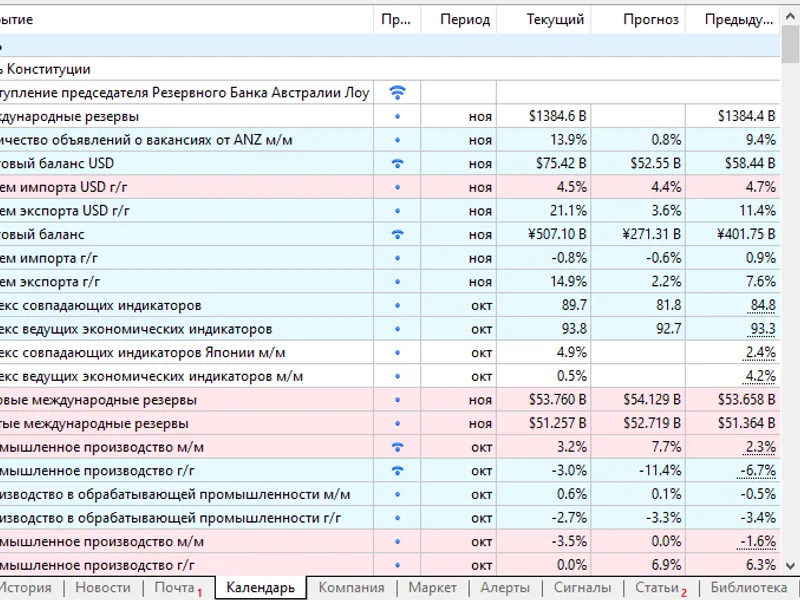
MetaTrader5 has an updated volumetric history of fundamental calendar events, any data of which can .
This library allows you to conveniently work with this data. In particular, to use them in the Tester and in real trading.
Working with the library is shown in the form of comments of the source code of the examples.
Obtaining historical data.
Result.
You can compare it with the MT5-Terminal itself.
Getting upcoming events.
Such embedding in information systems allows to inform about important upcoming calendar events in Expert Advisors/indicators.
Backtest on fundamental data.
Below is an Expert Advisor that trades by comparing current and forecast values.
Run it once in MT5-Terminal to save all historical data (~60 Mb). After that they will be available in the Tester.
Result (for six years at H1 opening prices).
Features.
Does not use DLLs, can run in the Marketplace.
Cross-platform operation: in MT4 get data from file.
![RSI multi-timeframe [v03]](/images/178.webp)