

ff c - forex factory calendar
Info
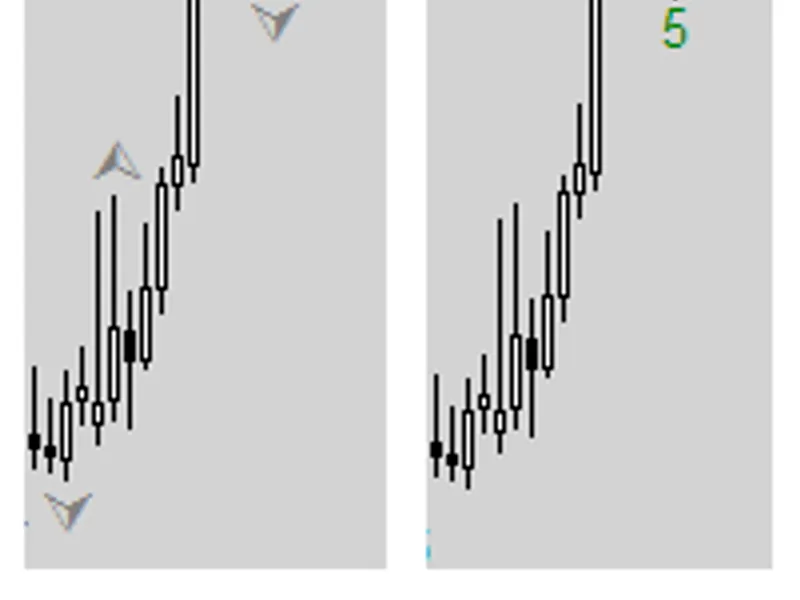
The ff c - forex factory calendar is a Indicator for MetaTrader 4 that the indicator places a panel on your chart that shows 5 economic events listed on the forex factory calendar. you can filter out/in the events of high, medium, or low impact, speaks, holidays or by specific keyword filter.
Usage
This tool is typically used for enhancing chart analysis and decision making.
Platform
This Indicator works exclusively on MetaTrader 4 (both build 600+ and newer versions).
Setup
Place the downloaded file in MQL4/Indicators folder via File ? Open Data Folder in MetaTrader 4.
How to Install and Use ff c - forex factory calendar
1. Installation: Place your file in the MQL/Indicators folder via "Open Data Folder" and restart your terminal.
2. Loading: Find the indicator in the Navigator, drag it onto your chart, and configure the input parameters in the popup window.
3. Customization: Press Ctrl+I to open the indicator list, select your tool, and click "Properties" to change colors, levels, or visual styles.
4. Updating: Replace the old file in the Indicators folder with the new version and restart the platform to apply changes.
Frequently Asked Questions
Q: Why is my indicator not showing? A: Verify the file is in the MQL/Indicators folder, or try right-clicking the "Indicators" tree in the Navigator and clicking "Refresh."
Q: Do custom indicators slow down the platform? A: Too many complex indicators can impact performance; remove unused ones via the "Indicator List" (Ctrl+I).
Q: Can I use MT4 indicators on MT5? A: No, MQL4 and MQL5 are distinct languages; ensure the indicator is compiled specifically for your platform version.
What this tool does
the indicator places a panel on your chart that shows 5 economic events listed on the forex factory calendar.
Typical Use Case
This Indicator excels in automated trading and technical analysis on MetaTrader 4.
Compatible Platform & Setup
This Indicator works on MetaTrader 4. Place the file in the MQL4/Indicators folder and restart the terminal.
Description & Settings
Related: forex freeway 2 indicator - another powerful indicator for MetaTrader 4 traders.
the indicator places a panel on your chart that shows 5 economic events listed on the forex factory calendar. you can filter out/in the events of high, medium, or low impact, speaks, holidays or by specific keyword filter. please see all modifications listed .
Also recommended: daily trend indicator for forex trading - similar indicator with strong performance on MetaTrader 4.
also, the indicator can be called within an ea using the function by accessing 2 buffers:buffer (0) contains
minutes
until the most recent event.
buffer (1) contains
impact
value for the most recent event (low =
1
, medium =
2
, high =
3
).
you can call buffers in two ways:
simple call:
(default values will be applied)
advanced call:
*please note that the indicator does not have (at this stage) back-testing capabilities.
suggested style:
high impact color = c'217,83,79'
med impact color = c'255,185,83'
low impact color = c'91,192,222'
holidays color = clrorchid
remarks color = clrdimgray
calendar legend:
m/m:
month over month
q/q:
quarter over quarter
y/y:
year over year
k
thousand
m
million
b
billion
t
trillion modifications:
added: for compatibility with metatrader 4 build 600+ and better code quality.
added: show event previous/forecast impact (colored impact).
added: option to show events related to active chart only (override other parameters)
added: keyword filter. find or ignore a specific one word, i.e. "nfp", will filter out all events with/without only that word. (case-sensitive)
added: option to show currency strength / bar time left / spread value.
added: option to control the time for display of past events (in minutes).
added: option to set panel location in 4 chart corners.
added: tool-tip on mouse hover that shows event title, impact and event time left.
added: panel title. you can use it as a reminder note :)
modified: show event in "date/time format" instead of minutes left (you can show minutes left through tool-tip)
modified: vertical lines for the upcoming events. (you
may
need to modify the "time offset" input depending on your broker time).
modified: buffers that holds the upcoming event minute and impact (see examples above)
modified: revised order of external inputs.
improved: replaced downloadwebpagetofile() function with native windows function.
improved: placed (download/read xml file) and related codes into a functions so we can call them when needed.
improved: replaced "globalvariables" that used to update xml file with - set by "allowupdates", "updatehour" inputs.
improved: time gmt offset, now the events will show in your local time automatically.
improved: justify the panel/text when set to right/left.
improved: alert function, now it will send beside the popup alert: sound alert, on your phone and . (two separate alerts)
improved: code quality, now the indicator is lighter and faster than ever.
fixed: various bug fixes, some unnecessary/unused codes or variables removed, placed some variables inside their related functions.
credit:
whroeder
raptoruk
* in order to use this indicator, you need to turn on dll imports in your metatrader 4 platform options.* please be aware that the code may have some bugs or other flaws, so if you see any bugs or suggestions, or even better code practice, please let me know.* according to forex factory website, all event times are approximate and subject to change.
You may also like: forex market session indicator - excellent alternative for indicator users on MetaTrader 4.
Source Code
/*
what's new in v2.0:
  [ui]
  - canvas-based rendering (smooth, flicker-free)
  - draggable panel with saved position
  - real-time filter buttons (h/m/l impact toggles)
  - modern dark theme with gradient background
  [features]
  - symbol info display (spread, bar countdown, today's events)
  - historical event markers on past candles
.......
⚠ Limitations & Risk Warning
- This tool is provided for educational and testing purposes only.
- Past performance does not guarantee future results.
- Trading involves substantial risk of loss. Use on a demo account first.
- Results may vary depending on market conditions, broker, and settings.
- We recommend thorough backtesting and forward testing before using with real funds.