
Gonisshi MT5 Sync: Securely Journal Your Trades
Info
The Gonisshi MT5 Sync: Securely Journal Your Trades is a Expert Advisor for MetaTrader 5 that gonisshi mt5 sync is an expert advisor designed to send your closed metatrader 5 (mt5) trades to your go日誌 account at gonisshi. com.
Usage
This tool is typically used for automated trading on major forex pairs and gold.
Platform
This Expert Advisor works exclusively on MetaTrader 5 (both build 600+ and newer versions).
Setup
Place the downloaded file in MQL5/Experts folder via File ? Open Data Folder in MetaTrader 5.
How to Install and Use Gonisshi MT5 Sync: Securely Journal Your Trades
1. Installation: Open the "File" menu, select "Open Data Folder," navigate to MQL/Experts, paste your file, and restart the terminal.
2. Activation: Drag the EA from the Navigator onto a chart, ensure "Allow live trading" is checked in the Common tab, and verify the AutoTrading button is green.
3. Optimization: Right-click your chart, choose "Expert List," click "Properties" to adjust inputs, and save your preferred setup as a set file for future use.
4. Maintenance: Regularly check the "Experts" tab in the terminal window to monitor trade logs and potential execution errors.
Frequently Asked Questions
Q: Why is my EA not opening trades? A: Check the "AutoTrading" button, ensure "Allow live trading" is enabled, and verify your broker allows automated trading on your account type.
Q: Can I run multiple EAs on one chart? A: No, each chart can only host one active EA; however, you can open multiple charts for different currency pairs to run several EAs.
Q: What does the "smiley face" icon mean? A: A smiley face in the top-right corner of the chart indicates the EA is successfully running; a frowny face means it is disabled.
What this tool does
Gonisshi MT5 Sync is an Expert Advisor designed to send your closed MetaTrader 5 (MT5) trades to your GO日誌 account at gonisshi.
Typical Use Case
This Expert Advisor excels in automated trading and technical analysis on MetaTrader 5.
Compatible Platform & Setup
This Expert Advisor works on MetaTrader 5. Place the file in the MQL5/Experts folder and restart the terminal.
Description & Settings
Related: ColorJFATL STDEV Expert Advisor - another powerful expert for MetaTrader 5 traders.
Gonisshi MT5 Sync is an Expert Advisor designed to send your closed MetaTrader 5 (MT5) trades to your GO日誌 account at gonisshi.com. This tool focuses solely on reporting closed trades and does not open, close, or manage orders on your behalf, ensuring your trading strategy remains unaffected.Also recommended: Camel CCI MA CD Expert Advisor for USDJPY - similar expert with strong performance on MetaTrader 5.
Simply attach the EA to any chart. Your broker login and password remain securely on your PC. Trade data is posted exclusively over HTTPS.
Setup Instructions
In MT5:
Navigate to Tools → Options → Expert Advisors.
Enable the 'Allow algorithmic trading' option.
Enable the 'Allow WebRequest for listed URL' option.
Add the following URL to the list (ensure it exactly matches the ApiBaseUrl): gonisshi.com
Enable 'Algo Trading' on the MT5 toolbar.
In gonisshi.com:
Go to Import → Broker sync and copy your unique sync key.
Attach the Gonisshi MT5 Sync EA to a chart and paste your copied sync key into the 'ApiKey' input field.
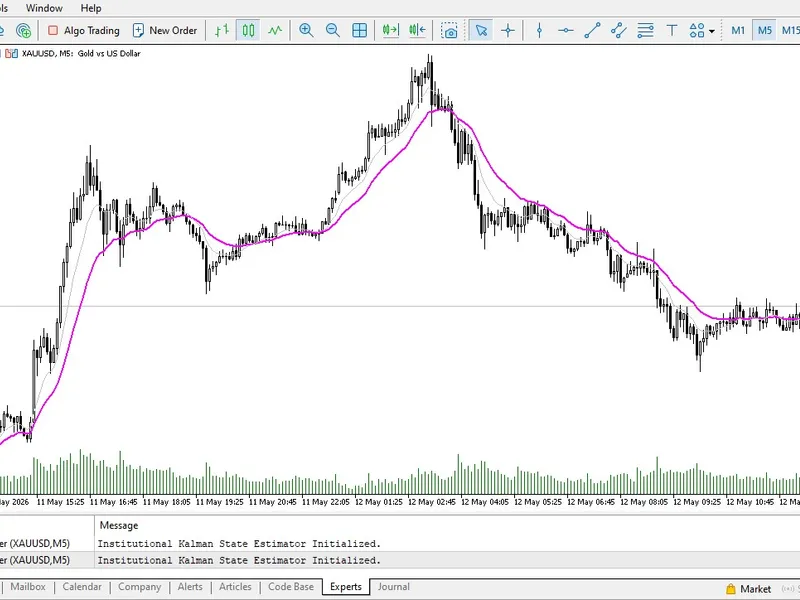
Monitor logs via the 'View' menu → 'Toolbox' → 'Experts' tab (not the 'Journal' tab) for operational messages.
EA Inputs
Input Field
Default Value
Description
ApiKey
(empty)
Your sync key obtained from gonisshi.com Import → Broker sync. This is required and must be at least 8 characters long.
ApiBaseUrl
API origin. This must be added to the allowed WebRequest URLs in MT5 settings.
SyncIntervalSeconds
60
Specifies how often the EA polls for new closed trades. The minimum interval is 30 seconds.
MaxBackfillTrades
10000
The maximum number of closed trades to upload when the EA first connects or after a reset.
MaxBackfillDays
730
Sets the historical data range for backfilling, covering approximately 2 years of closed trades.
Functionality Overview
The EA performs the following actions:
Checks the health of the API endpoint at /api/ea-sync/.
Registers your account details (login, server, company, currency) with the service.
Backfills recently closed deals (types: OUT, INOUT, OUT_BY) that are newer than the last synced record.
Periodically posts batches of new closed trades or a simple heartbeat if no new trades are available.
Stores connection information and the ticket number of the last synced position in a shared file, allowing restarts to resume from the last point.
If an HTTP 401 error (revoked key) is encountered, the EA will alert you and stop its timer.
If a 403/404 error (stale connection) occurs, the EA clears the saved state and re-registers the account.
Limitations
Open positions are not synchronized until they are closed.
The synchronization cursor tracks the last synced position ID. Trades opened before the cursor was updated but closed later might be skipped. The initial backfill process covers closed history within the specified day and trade limits.
This EA does not place trades. It is safe to use on a live account for journaling purposes only.
Troubleshooting Common Issues
No logs are appearing: Ensure you are checking the 'Experts' tab in the MT5 Toolbox, not the 'Journal' tab.
WebRequest error 4060: Add the 'ApiBaseUrl' to your allowed URLs in MT5 settings and restart MT5.
HTTP 401 error: Generate a new API key within the gonisshi.com application.
Stale connection (HTTP 403): Remove the EA from the chart, then re-attach it with a newly generated API key.
You may also like: exp color xp w m a digit nn3 mm rec - excellent alternative for expert users on MetaTrader 5.
Source Code
#property copyright "RobotFX"
#property link "https://robotfx.org"
#property version   "1.04"
#property strict
input string ApiKey = "";
input string ApiBaseUrl = "https:
input int    SyncIntervalSeconds = 60;
input int    MaxBackfillTrades = 10000;
input int    MaxBackfillDays = 730;
string g_connection_id = "";
.......
⚠ Limitations & Risk Warning
- This tool is provided for educational and testing purposes only.
- Past performance does not guarantee future results.
- Trading involves substantial risk of loss. Use on a demo account first.
- Results may vary depending on market conditions, broker, and settings.
- We recommend thorough backtesting and forward testing before using with real funds.