
EXP Vortex Indicator Duplex: Independent Trading Systems for Long and Short Positions
Info
The EXP Vortex Indicator Duplex: Independent Trading Systems for Long and Short Positions is a Expert Advisor for MetaTrader 5 that two independent trading systems, one for long and one for short positions, are based on the signals of the exp vortex indicator. The indicator's versatility allows for various configurations within a single expert advisor (EA).
Usage
This tool is typically used for automated trading on major forex pairs and gold.
Platform
This Expert Advisor works exclusively on MetaTrader 5 (both build 600+ and newer versions).
Setup
Place the downloaded file in MQL5/Experts folder via File ? Open Data Folder in MetaTrader 5.
How to Install and Use EXP Vortex Indicator Duplex: Independent Trading Systems for Long and Short Positions
1. Installation: Open the "File" menu, select "Open Data Folder," navigate to MQL/Experts, paste your file, and restart the terminal.
2. Activation: Drag the EA from the Navigator onto a chart, ensure "Allow live trading" is checked in the Common tab, and verify the AutoTrading button is green.
3. Optimization: Right-click your chart, choose "Expert List," click "Properties" to adjust inputs, and save your preferred setup as a set file for future use.
4. Maintenance: Regularly check the "Experts" tab in the terminal window to monitor trade logs and potential execution errors.
Frequently Asked Questions
Q: Why is my EA not opening trades? A: Check the "AutoTrading" button, ensure "Allow live trading" is enabled, and verify your broker allows automated trading on your account type.
Q: Can I run multiple EAs on one chart? A: No, each chart can only host one active EA; however, you can open multiple charts for different currency pairs to run several EAs.
Q: What does the "smiley face" icon mean? A: A smiley face in the top-right corner of the chart indicates the EA is successfully running; a frowny face means it is disabled.
What this tool does
Two independent trading systems, one for long and one for short positions, are based on the signals of the EXP Vortex Indicator.
Typical Use Case
This Expert Advisor excels in automated trading and technical analysis on MetaTrader 5.
Compatible Platform & Setup
This Expert Advisor works on MetaTrader 5. Place the file in the MQL5/Experts folder and restart the terminal.
Description & Settings
Related: Repaint Checker: Identify Repainting Indicators - another powerful expert for MetaTrader 5 traders.
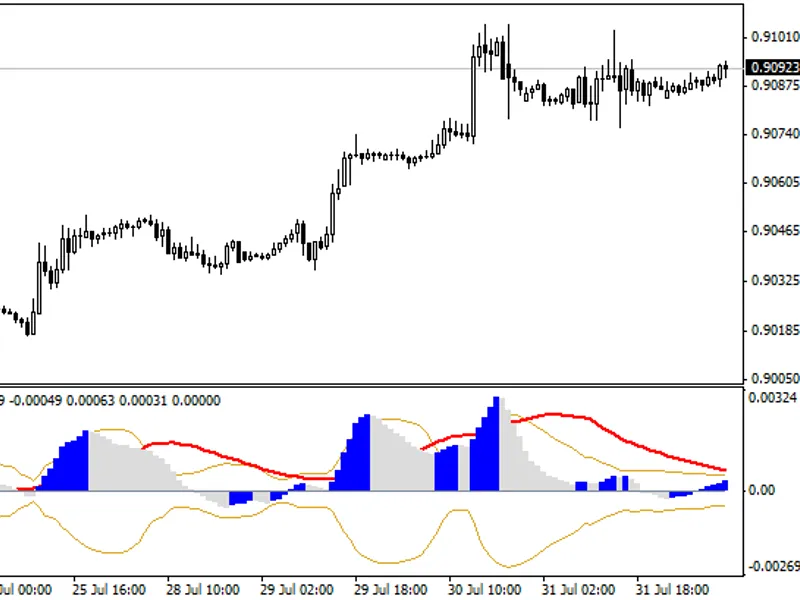
Two independent trading systems, one for long and one for short positions, are based on the signals of the EXP Vortex Indicator. The indicator's versatility allows for various configurations within a single expert advisor (EA).Also recommended: Repaint Inspector: Unveiling Indicator Repainting - similar expert with strong performance on MetaTrader 5.
The input parameters are categorized into two groups:
- Parameters with 'l' prefixes control long positions.
- Parameters with 's' prefixes manage short positions.
These distinct systems use unique magic numbers, ensuring their independence. Real financial markets often exhibit asymmetry, requiring different parameter settings for rising and falling trends. To configure the EA effectively, test and optimize each system separately using dedicated switches.
Ensure the compiled
vortexindicator.ex5
file is in the
Default input parameters were used in the tests below, without stop loss and take profit.
Fig. 1. Examples of deals on the chart with symmetrical settings.
Testing results for 2026 on EURJPY H12:
Fig. 2. Testing results chart.
Fig. 3. Examples of deals on the chart with non-symmetrical settings.
You may also like: loong clock indicator - excellent alternative for expert users on MetaTrader 5.
Source Code
/.......
⚠ Limitations & Risk Warning
- This tool is provided for educational and testing purposes only.
- Past performance does not guarantee future results.
- Trading involves substantial risk of loss. Use on a demo account first.
- Results may vary depending on market conditions, broker, and settings.
- We recommend thorough backtesting and forward testing before using with real funds.