SL+TP-OE PI P CA L C IN D Y – (Indicator)
This professional-grade solution for MetaTrader 4 helps traders achieve greater efficiency in their daily workflow. This technical indicator acts as a specialized analysis tool designed to visualize market data. It helps traders identify emerging trends, momentum shifts, and key support or resistance levels by plotting statistical calculations directly onto price charts.
How to Setup and Use SL+TP-OE PI P CA L C IN D Y – (Indicator)
1. Installation: Place your file in the MQL/Indicators folder via "Open Data Folder" and restart your terminal.
2. Loading: Find the indicator in the Navigator, drag it onto your chart, and configure the input parameters in the popup window.
3. Customization: Press Ctrl+I to open the indicator list, select your tool, and click "Properties" to change colors, levels, or visual styles.
4. Updating: Replace the old file in the Indicators folder with the new version and restart the platform to apply changes.
Frequently Asked Questions
Q: Why is my indicator not showing? A: Verify the file is in the MQL/Indicators folder, or try right-clicking the "Indicators" tree in the Navigator and clicking "Refresh."
Q: Do custom indicators slow down the platform? A: Too many complex indicators can impact performance; remove unused ones via the "Indicator List" (Ctrl+I).
Q: Can I use MT4 indicators on MT5? A: No, MQL4 and MQL5 are distinct languages; ensure the indicator is compiled specifically for your platform version.
Description & Settings
SL pippdate: ca
Updates:
1. Order Type Discrimination. 2. SL & TP and OE price. 3. Enhanced user defined labels.
Function
· Calculates pip difference between
Order Execution (OE) price
and
SL & TP
price.
· Places Text labels at SL & TP lines: Order Type, Ticket number, SL & TP price, Pip calculation and Pip label.
· Places Text labels at OE lines: Order Type, Ticket number and OE price.
· Can be used with MT4 defaults and any other suitable MT4 application.
Labels: Labels can be user defined - see hide options in Input Window
User defined examples
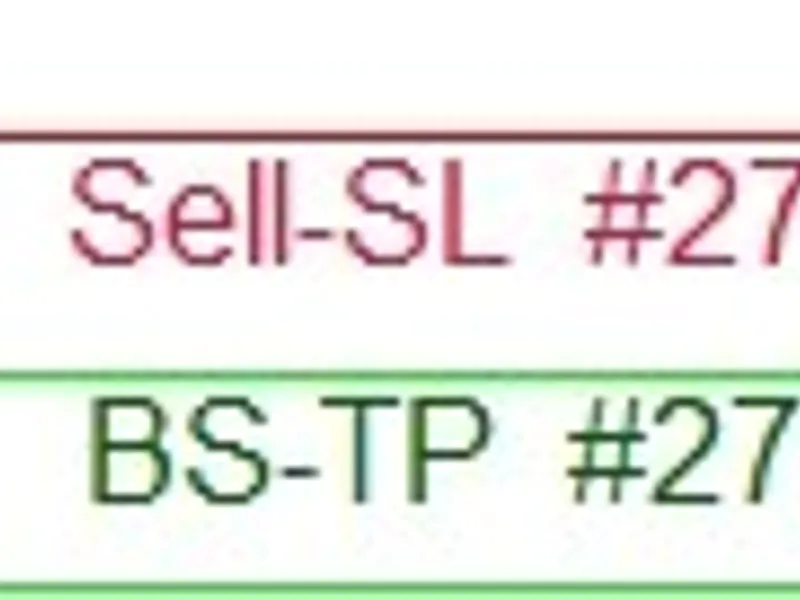
Sell-SL #2751709 * 1.04116 * 276.9 pps
Sell-SL #2751709 * 2769 f-pps *
#2751709 * 276.9
Sell-SL * 2769
1.04116 * 276.9
2769
BS-OE #2738254 * 1.02311 * Non digit Symbols will default to pps regardless if f-pps (fractional pips - points / 3 & 5 digit pricing) is set to to [true].
PIP CALCULATION TEST & CHECK: SL+TP-OE Pip Calc Indy – v2
1. Cross reference Tables and Chart with Terminal image included on chart.
2. Tables T-1 & T-2:
a) Terminal: Columns 0-2 are values taken from the Terminal at instant of screenshot - these values can be located on the Terminal image that is included on the chart. b) Calculation: Column 3 is an excel calculation of the relevant values. c) Chart: Column 4 is the values as indicated on the chart. d) Check: Column 5 confirms a matching value. 3. All calculations are from Order Type SL & TP price to corresponding Order Type Order Execution (OE) price. 4. OE price can be located in column 6 of the Terminal. 5. SL & TP can be located in in column 7 & 8 respectively.
6. Current Bid and Ask at instant of screenshot can be located in column 9 of the terminal.
Notes
1: SL+TP-CP Pip Dist Indi – v2 is not part of Easy Order, functions independent of the Easy Order and does not attach text to the Easy Order SL & TP lines but to the MT4 default SL and TP values.
2. Easy Order is a FREE MT4 script and can be downloaded here -
Avoid time wasting repetitions - permanently change defaults - examples provided .
If you have not edited before,
i
t is dead easy and saves time and tedious unnecessary repetitions.
1. Open MT4, locate View at top left of Menu and click, then click Navigator.
2. The Navigator window will have opened on the left or right of your screen.
3. Locate Custom Indicators in the Navigator Window and if it is not expanded click the [+] to expand.
4. Locate SL+TP-CP DIST INDI - v2, - highlight – and right click to reveal selection window.
5. Click Modify on selection window.
6. You will now be in the MetaEditor with SL+TP-OE PIP CALC INDY – v2 loaded in the MetaEditor.
7. If any other indicators are loaded it would be best to unload them before beginning any editing - right click on the relevant tab and click close.
8. You can now begin editing – follow instructions below.
9. After every edit/modification run Compile and check for errors. An example can be found here -
Note:
If you get stuck and can’t figure why it will not compile without error use the left undo arrow to take you back to a point when it did compile successfully. Compile and check for errors after every modification and you will be fine.
Find this code which is immediate top when the code editor is accessed.
Disclaimer:
All downloads and documentation are offered, AS IS, as educational material.