Prop Firm Risk Monitor e Auto-Lot Calculator
This professional-grade solution for MetaTrader 4 helps traders achieve greater efficiency in their daily workflow. This technical indicator acts as a specialized analysis tool designed to visualize market data. It helps traders identify emerging trends, momentum shifts, and key support or resistance levels by plotting statistical calculations directly onto price charts.
How to Setup and Use Prop Firm Risk Monitor e Auto-Lot Calculator
1. Installation: Place your file in the MQL/Indicators folder via "Open Data Folder" and restart your terminal.
2. Loading: Find the indicator in the Navigator, drag it onto your chart, and configure the input parameters in the popup window.
3. Customization: Press Ctrl+I to open the indicator list, select your tool, and click "Properties" to change colors, levels, or visual styles.
4. Updating: Replace the old file in the Indicators folder with the new version and restart the platform to apply changes.
Frequently Asked Questions
Q: Why is my indicator not showing? A: Verify the file is in the MQL/Indicators folder, or try right-clicking the "Indicators" tree in the Navigator and clicking "Refresh."
Q: Do custom indicators slow down the platform? A: Too many complex indicators can impact performance; remove unused ones via the "Indicator List" (Ctrl+I).
Q: Can I use MT4 indicators on MT5? A: No, MQL4 and MQL5 are distinct languages; ensure the indicator is compiled specifically for your platform version.
Description & Settings
MetaTrader 4 is a highly reliable execution platform, but it severely lacks built-in risk management tools. For traders managing funded accounts (Prop Firms), calculating the exact lot size dynamically and monitoring strict daily drawdown limits manually can lead to fatal emotional errors.
The Prop Firm Risk Monitor is a lightweight MQL4 utility designed to bridge this gap. It works entirely on the chart as a visual dashboard, ensuring you never violate your daily loss limits or over-leverage your positions.
Core Features
Daily Drawdown Tracker:
It scans your open positions and today's closed history (including commissions and swaps) to calculate your exact Daily PnL. This prevents you from accidentally hitting the standard 5% daily loss limit imposed by prop firms.
Auto-Lot Calculator:
Stop guessing your position size. Simply input the percentage of your balance you wish to risk and your Stop Loss in Pips. The indicator automatically reads the symbol's tick value and outputs the exact lot size you need to execute.
Zero Lag:
Built purely as a visual indicator using native MT4 MQL4 logic. It does not execute trades, keeping your terminal safe and blazingly fast.
Input Parameters
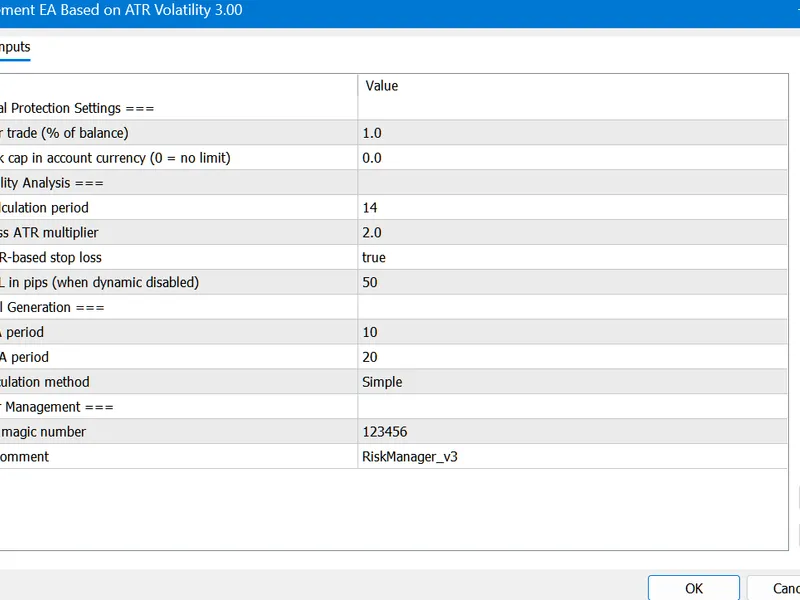
InpRiskPercent:
The percentage of your current balance you want to risk per trade (e.g., 1.0 for 1%).
InpStopLossPips:
Your planned Stop Loss distance in Pips (the calculator automatically handles 4-digit and 5-digit brokers).
InpMaxDailyDD:
Your maximum allowed daily drawdown percentage. If your daily loss exceeds this, the dashboard will flash a warning.