

Master Tools
Info
The Master Tools is a Indicator for MetaTrader 4 that changelog:v1. 08: Bug fixes and compilation after a period of inactivity.
Usage
This tool is typically used for enhancing chart analysis and decision making.
Platform
This Indicator works exclusively on MetaTrader 4 (both build 600+ and newer versions).
Setup
Place the downloaded file in MQL4/Indicators folder via File ? Open Data Folder in MetaTrader 4.
How to Install and Use Master Tools
1. Installation: Place your file in the MQL/Indicators folder via "Open Data Folder" and restart your terminal.
2. Loading: Find the indicator in the Navigator, drag it onto your chart, and configure the input parameters in the popup window.
3. Customization: Press Ctrl+I to open the indicator list, select your tool, and click "Properties" to change colors, levels, or visual styles.
4. Updating: Replace the old file in the Indicators folder with the new version and restart the platform to apply changes.
Frequently Asked Questions
Q: Why is my indicator not showing? A: Verify the file is in the MQL/Indicators folder, or try right-clicking the "Indicators" tree in the Navigator and clicking "Refresh."
Q: Do custom indicators slow down the platform? A: Too many complex indicators can impact performance; remove unused ones via the "Indicator List" (Ctrl+I).
Q: Can I use MT4 indicators on MT5? A: No, MQL4 and MQL5 are distinct languages; ensure the indicator is compiled specifically for your platform version.
What this tool does
Changelog:v1.
Typical Use Case
This Indicator excels in automated trading and technical analysis on MetaTrader 4.
Compatible Platform & Setup
This Indicator works on MetaTrader 4. Place the file in the MQL4/Indicators folder and restart the terminal.
Description & Settings
Related: Key Trading System Master - Pro Version - another powerful indicator for MetaTrader 4 traders.
Changelog:v1.08:
Bug fixes and compilation after a period of inactivity.
Also recommended: Support and Resistance Tools - similar indicator with strong performance on MetaTrader 4.
v1.07:
Stop Loss (SL) and Take Profit (TP) can now be set individually for each chart.
Grid customization: Set a unique grid gap for each chart.
New sound alert feature: Get notified when the price approaches your TP or SL. Choose the pip threshold for alerts and remember to add the new sound files from the provided sounds.zip. This feature is disabled by default.
Enhanced buy/sell line, TP, and SL with additional information.
Minor corrections and improvements.
Trendlines now display labels similar to support and resistance lines.
v1.06:
master_info_ea.mq4 enhancements: Reduced bugs and improved error messages when orders are rejected by the broker.
Pivot Point Options: Choose between classic or Fibonacci pivot points, and view pivot line names (S1, S2, etc.).
Backup Resistance/Support Lines: Easily backup your lines with a button in the options panel.
Default SL and TP: Set default values for SL and TP in the options panel.
Grid Line Highlight: The grid line at the current price level is now highlighted with a distinct color.
Micro-bug fixes and improvements.
Chart compatibility: Corrected issues with charts having 1 or 0 digits.
v1.05:
Support and Resistance Line Saving: These lines are now automatically saved in a CSV file in the ".../mql4/files/" directory, with separate files for each symbol.
Line Backup: A new backup button creates a file with the current date, ensuring you can restore your lines if needed.
v1.04:
Order Management: Improved handling of multiple orders on the same chart, ensuring accurate TP and SL adjustments.
v1.03:
Options Window: Added a new window for easy parameter adjustments. Press 'o' to access.
Background Color Customization: Customize the background color, pip value, and price display.
v1.02:
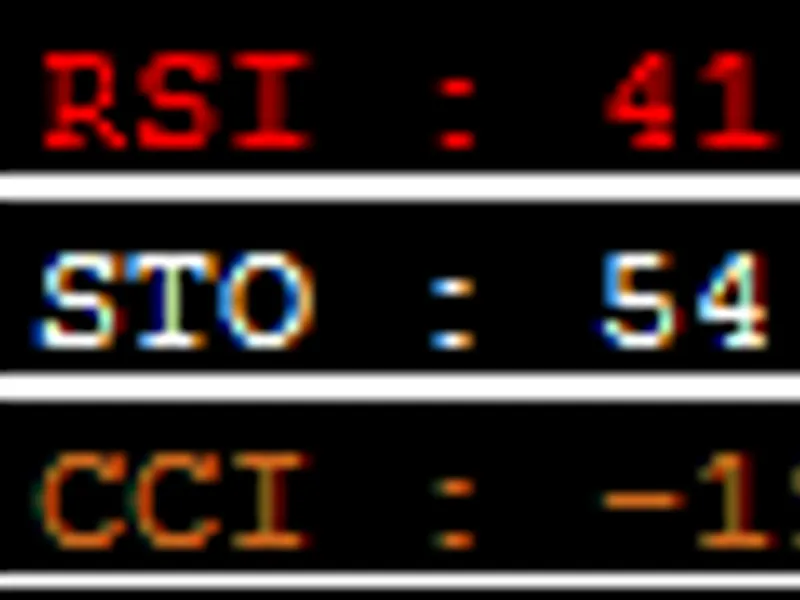
Indicator Summary: Added RSI, Stochastic, CCI, MACD, Momentum, and Moving Average summaries for 5/10/20/50/100/200 periods. Use "show indicator information" to toggle visibility. Colors indicate sell/buy signals.
Timeframe Indicator: Hover over the timeframe to see the indicator summary for that timeframe.
SL Button: Added SL on/off option in the money management tool.
v1.01:
Pipclick Correction: Fixed issues with pipclick calculation and usage of ask/bid prices.
Timeframe Hover: Display ATR, RSI, Bull, and Bear values when hovering over the timeframe button.
Interface Button Status: Corrected button status issues.
Indicator and EA Updates: Fixed pending order issues. Remember to update the EA.
This suite of tools aims to provide a comprehensive trading solution by combining various indicators and utilities into a single package. The tools include:
- Money Management: A tool for real money management and order execution.
- Information Display: Provides valuable trading information.
- Support and Resistance: Assists with support and resistance levels.
- Timeframe Changer: Easily switch timeframes.
master_info_ea.mq4 is an optional EA required for order execution within the Money Management tool.
sounds.zip is an optional package containing custom sounds for alerts. Extract it to the Metatrader 4 "sounds" directory and customize your alerts.
Changes and Improvements:
- Removed the ratio button for quick TP adjustments but improved interface layout.
- Streamlined information display, retaining only the most essential data. Additional information can be added upon request.
- Enhanced the original indicator with a new interface.
- The original indicator remains unchanged and served as the inspiration for Master Tools.
Tool Descriptions:
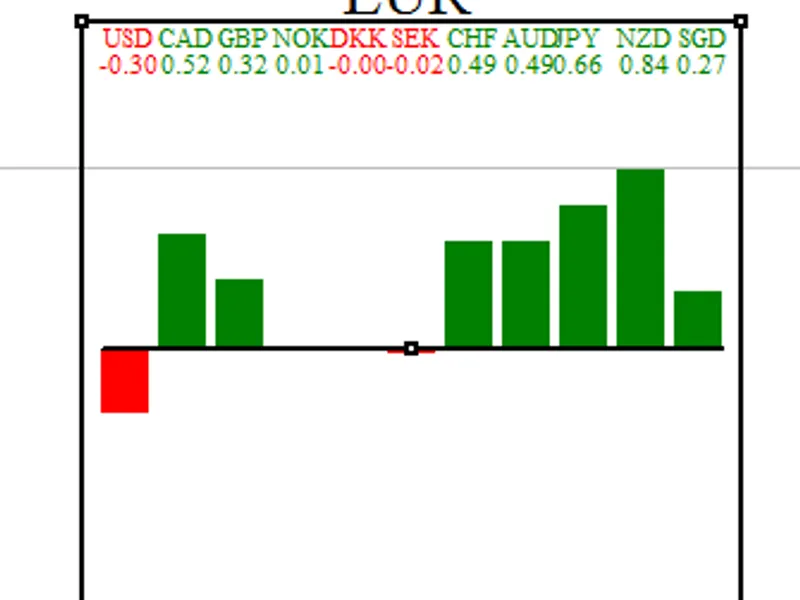
Information Display:
Provides trading insights for informed decision-making.
Basic Interface:
Always visible at the bottom, displaying key information.
Hide/Show:
Hide the interface with the 'h' key.
Lot Size:
Adjust lot size with '+' and '-' buttons or 'p' and 'm' shortcuts. Pip value updates accordingly and is used in other tools.
Click Mouse on Chart:
Clicking the chart displays information about the mouse position, including price, pip difference, and value in your currency.
Price and Date:
Hovering over the chart shows the price and date, useful for other tools.
Swap Buy and Swap Sell:
View swap rates for long positions.
Countdown:
Displays a countdown to the next candle.
Spread:
Shows spread in pips and currency.
Support and Resistance:
Easily create support and resistance lines with customizable colors, shapes, and widths. Each line displays pip and currency values. The tool automatically updates line colors for better visualization.
Two Line Types:
Use two types of lines (default shortcuts 'a' and 'q') for resistance/support and alarms. Set different line options for each.
Line Alerts:
Get alerts when the price crosses a line. Customize alert sounds for different currencies. Smartphone notifications are available.
Trend Line Management:
The script can manage trend lines, which can be enabled/disabled as needed.
Interface:
Each line has options for alarms, visibility, and sound.
Hide/Show:
Hide specific line types.
Deleting:
Delete lines with the 'x' key.
Order Management:
Press 'b' for buy or 's' for sell to display buy/sell, TP, and SL lines. Move these lines to adjust ratios, SL, TP, and risk. Show/hide TP, follow price, or place pending orders. Adjust risk and lot size for optimal settings. Autotrade and order buttons are available with master_tools_ea.mq4.
Timeframe Changer:
Quickly change timeframes and zoom levels directly on the chart.
Grid:
Display a customizable grid with pip height, color intensity, and price labels.
Daily Open:
Draw a line at the previous day's close price.
Pivot Point:
Plot simple or Fibonacci pivot points from R4 to S4.
Sell/Buy/TP/SL Label:
Add labels to order lines for clarity.
Parameters:
You may also like: All Fibonacci Tools Indicator - excellent alternative for indicator users on MetaTrader 4.
Source Code
/.......
⚠ Limitations & Risk Warning
- This tool is provided for educational and testing purposes only.
- Past performance does not guarantee future results.
- Trading involves substantial risk of loss. Use on a demo account first.
- Results may vary depending on market conditions, broker, and settings.
- We recommend thorough backtesting and forward testing before using with real funds.