Constant Range Detector
This is a powerful addition to your MetaTrader 4 toolkit designed to optimize market analysis and performance. This technical indicator acts as a specialized analysis tool designed to visualize market data. It helps traders identify emerging trends, momentum shifts, and key support or resistance levels by plotting statistical calculations directly onto price charts.
How to Setup and Use Constant Range Detector
1. Installation: Place your file in the MQL/Indicators folder via "Open Data Folder" and restart your terminal.
2. Loading: Find the indicator in the Navigator, drag it onto your chart, and configure the input parameters in the popup window.
3. Customization: Press Ctrl+I to open the indicator list, select your tool, and click "Properties" to change colors, levels, or visual styles.
4. Updating: Replace the old file in the Indicators folder with the new version and restart the platform to apply changes.
Frequently Asked Questions
Q: Why is my indicator not showing? A: Verify the file is in the MQL/Indicators folder, or try right-clicking the "Indicators" tree in the Navigator and clicking "Refresh."
Q: Do custom indicators slow down the platform? A: Too many complex indicators can impact performance; remove unused ones via the "Indicator List" (Ctrl+I).
Q: Can I use MT4 indicators on MT5? A: No, MQL4 and MQL5 are distinct languages; ensure the indicator is compiled specifically for your platform version.
Description & Settings
Note:
This indicator is intended for use with
Constant Range Charts:
Range Bars
or
Renko Boxes,
not standard candles - bars
Constant Range Candles and Charts are also referred to as
Range Bars (RB)
and
Range Bar Charts
.
Constant Range Candles / Bars all have the same pip range value from high to low.
Standard Candles / Bars all have different pip range values from high to low.
The indicator computes the pip range of the 8th historical candle / bar from the current candle / bar.
As each new candle / bar is formed the 8th historical candle becomes the next candle to the right.
Because all range candles / bars have the same pip range value each successive 8th candle produces the same fixed range output.
If the indicator is used with standard candles / bars the range output will not be fixed but will differ with each new candle / bar.
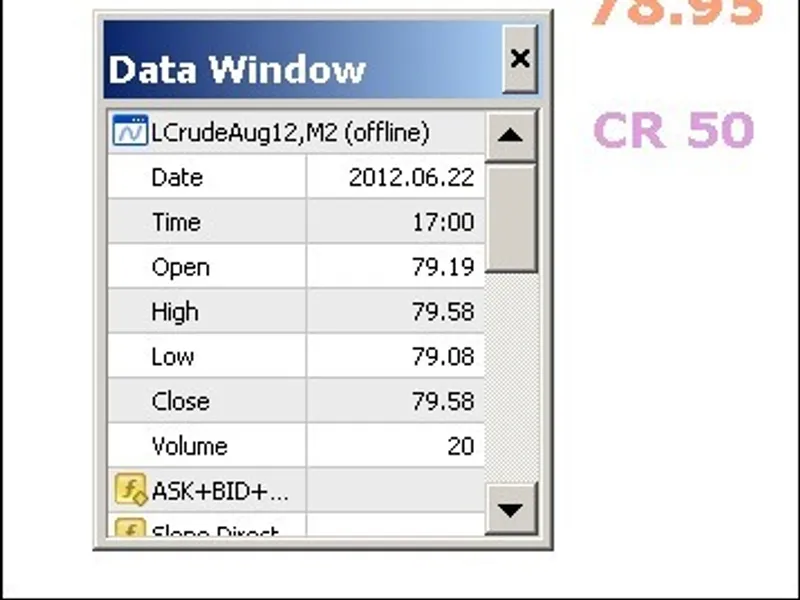
Constant Range (CR): CR 50
LCrudeAug12: 79.58 High - 79.08 Low (a random candle data chosen for illustration)
Note:
Be aware that Data Window will return High - Low subtraction values of 150 for 15 pips, 200 for 20 pips etc, on 3 & 5 digit pricing.
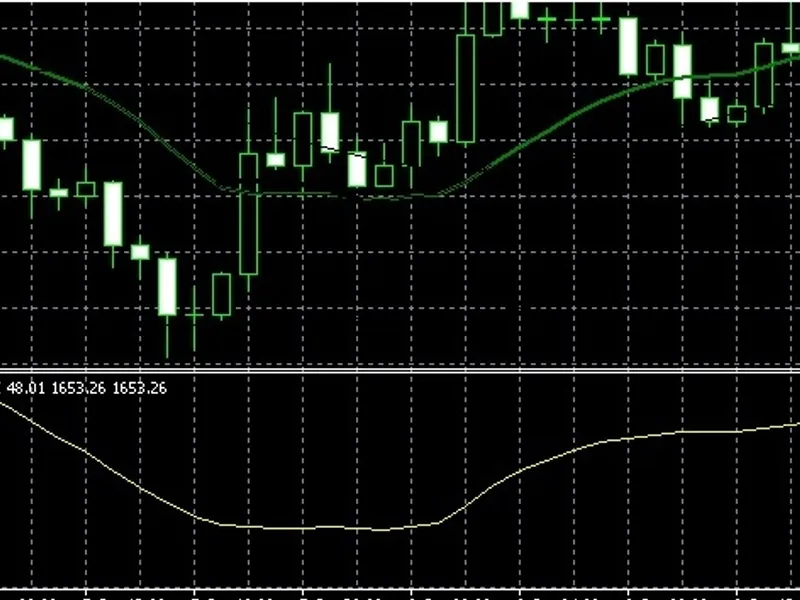
Constant Range Chart: CR 10
WTI-Oil: 200 LWMA - Williams Aligator (click chart to enlarge)
Ask - Bid + Spread Indicator in above charts can be got
Free Constant Range Indicator - 1: . Note: Point based - 3 & 5 digit pricing will require range setting to include additional zero. i.e. 25 pip range requiring an indicator setting of 250. Automatic refreshes and generates range candles / bars on MT4 start. Note: When in installing indicator ensure file ovoranbar001.ex4 is in the /experts/libraries folder.
Free Constant Range Indicator - 2:. Note: Pip based. Will need manual refresh on MT4 start - set 1M feeder chart to 5M then back to 1M to start refresh when MT4 starts, after which range candles / bars will continue to be generated until MT4 closed.
Constant Range Bars - - flawless performance. Note: license linked to external server.
Constant Range Information: Google - try "Range Bars", "Constant Range Bars", "Range Bar Trading", etc.
Tip:
Create ready made constant range templates for ease and speed of use. Ask-Bid-Spread indicator can be used on constant range templates and generated range charts for ease of check that both charts are in sync and range chart updating. Base template
CR-0-Blank.tpl
for 1M chart provided (see download), will need Ask-Bid+Spread indicator. ___________________________________________________________________________________________________________________________
Code Revision