MM T
This professional-grade solution for MetaTrader 4 helps traders achieve greater efficiency in their daily workflow. This Expert Advisor serves as automated trading software. It is utilized to monitor financial markets and execute trades based on predefined algorithmic rules, enabling precise position management without the need for constant manual oversight.
How to Setup and Use MM T
1. Installation: Open the "File" menu, select "Open Data Folder," navigate to MQL/Experts, paste your file, and restart the terminal.
2. Activation: Drag the EA from the Navigator onto a chart, ensure "Allow live trading" is checked in the Common tab, and verify the AutoTrading button is green.
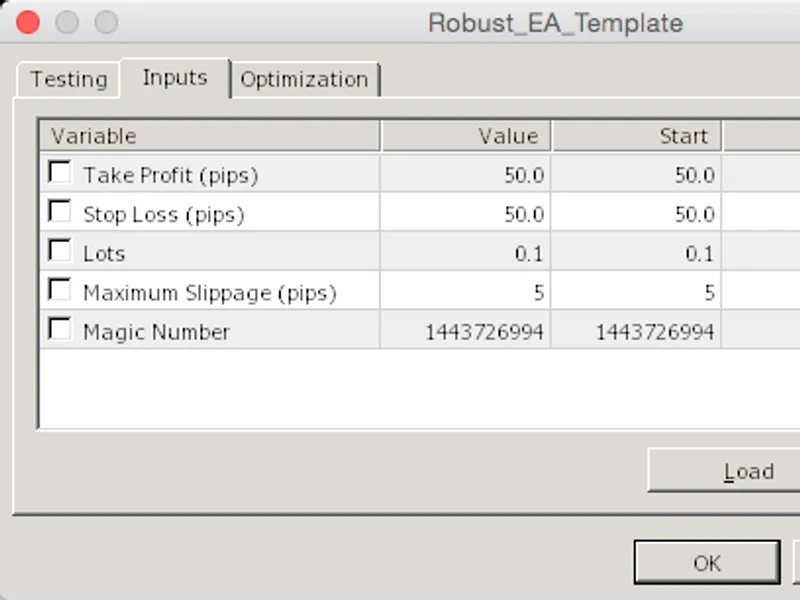
3. Optimization: Right-click your chart, choose "Expert List," click "Properties" to adjust inputs, and save your preferred setup as a set file for future use.
4. Maintenance: Regularly check the "Experts" tab in the terminal window to monitor trade logs and potential execution errors.
Frequently Asked Questions
Q: Why is my EA not opening trades? A: Check the "AutoTrading" button, ensure "Allow live trading" is enabled, and verify your broker allows automated trading on your account type.
Q: Can I run multiple EAs on one chart? A: No, each chart can only host one active EA; however, you can open multiple charts for different currency pairs to run several EAs.
Q: What does the "smiley face" icon mean? A: A smiley face in the top-right corner of the chart indicates the EA is successfully running; a frowny face means it is disabled.
Description & Settings
It is a Malty order Placer(4 LIMIT and 1 INSTANT). and good performed EA. It Works With THE Co-ordination of Different Moving Averages.
Features of the Expert Adviser:-
Default Risk factor 0.02/1000
Inputs Account Take profit
You can Set your account Profit Range. EX : Your account Balance is $1000 and you Set the Account Target To $1100 after some trading if Account Equity will Gone to More then $1100 . MMT will close all the Orders and EA Goes to sleep Mode automatically.
Inputs Lots Minimum
This feature provides you to set Lot Minimum size . if Order closing in lose Continuously Or You are not satisfy with Lot default Volume. Then You will set the Lot Minimum Size whatever you want.
Inputs Lots Maximum
This feature provides you to set Lot Maximum size. if Order closing in Profits Continuously You don't want High Volumes of Lot size then You will set the Lot Maximum whatever you want. (Lot Maximum is More than Lot Minimum Must ). Then EA will Controls the Lot Highest size to your quoted size.
Inputs Order2Pips (MMT)
will Place 5 Orders Totally Per Attempt. 1st Order is Instant Order at Current Rate and Remaining 4 are Limit Orders. In that Process, By default, from 2nd Order will place distance with the
(Order1 into Open point )+(Order2Pips into Pips
) Ex: Order1 is executed @ 1.3533 then second order places as a limit order @ 1.3533 + 7 = 1.3540 * Point If you want the distance between the Orders You will change what ever you want.
Inputs Order3Pips
This Feature also Just Like 5th Point
Inputs Order4Pips
This Feature also Just Like 5th Point
Inputs Order5Pips
This Feature also Just Like 5th Point
Marneni Money tree Expert Adviser Designed with the formula of Moving averages Coordination.
The Down Loaded EA works Until November end If you Like it Or Any Assistance you want Contact me any time (Languages: English, Hindi, Telugu, Tamil Only)
By default MMT Designed For 4 decimal Point Account if you are trading in 5 decimal Point accounts Then you must have to change Order 2 Pipes, Order 3 Pipes, Order 4 Pipes, Order 5 Pipes, Values
continuously from 7 to 70, 14 to 140, 21 to 210, 28 to 280