
K-Nearest Neighbors Classifier
Info
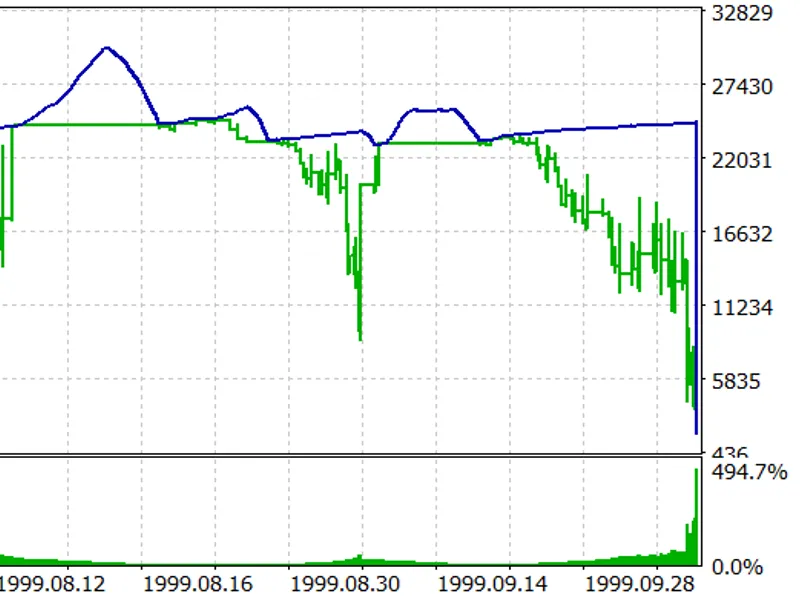
The K-Nearest Neighbors Classifier is a Expert Advisor for MetaTrader 4 that implementation of a machine learning classifier based on the k-nearest neighbors algorithm. This approach did not yield the desired results, possibly due to insufficient time spent on fine-tuning or a lack of specific knowledge.
Usage
This tool is typically used for automated trading on major forex pairs and gold.
Platform
This Expert Advisor works exclusively on MetaTrader 4 (both build 600+ and newer versions).
Setup
Place the downloaded file in MQL4/Experts folder via File ? Open Data Folder in MetaTrader 4.
How to Install and Use K-Nearest Neighbors Classifier
1. Installation: Open the "File" menu, select "Open Data Folder," navigate to MQL/Experts, paste your file, and restart the terminal.
2. Activation: Drag the EA from the Navigator onto a chart, ensure "Allow live trading" is checked in the Common tab, and verify the AutoTrading button is green.
3. Optimization: Right-click your chart, choose "Expert List," click "Properties" to adjust inputs, and save your preferred setup as a set file for future use.
4. Maintenance: Regularly check the "Experts" tab in the terminal window to monitor trade logs and potential execution errors.
Frequently Asked Questions
Q: Why is my EA not opening trades? A: Check the "AutoTrading" button, ensure "Allow live trading" is enabled, and verify your broker allows automated trading on your account type.
Q: Can I run multiple EAs on one chart? A: No, each chart can only host one active EA; however, you can open multiple charts for different currency pairs to run several EAs.
Q: What does the "smiley face" icon mean? A: A smiley face in the top-right corner of the chart indicates the EA is successfully running; a frowny face means it is disabled.
What this tool does
Implementation of a machine learning classifier based on the k-nearest neighbors algorithm.
Typical Use Case
This Expert Advisor excels in automated trading and technical analysis on MetaTrader 4.
Compatible Platform & Setup
This Expert Advisor works on MetaTrader 4. Place the file in the MQL4/Experts folder and restart the terminal.
Description & Settings
Related: News EA Template: Streamlined News-Based Trading - another powerful expert for MetaTrader 4 traders.
Implementation of a machine learning classifier based on the k-nearest neighbors algorithm.Also recommended: Spread Information - similar expert with strong performance on MetaTrader 4.
This approach did not yield the desired results, possibly due to insufficient time spent on fine-tuning or a lack of specific knowledge. The idea is to share this concept for discussion and potential improvements.
The classifier uses the Euclidean distance to find the nearest neighbors of a multi-dimensional vector in a pre-defined vector base. The base represents either trades or market situations, and vectors are grouped by user-defined classes. For instance, trades with positive results are classified as class 1, and negative results as class 0.
The classifier calculates the probability of a given vector belonging to class 1 by counting the number of neighboring vectors in class 1 and dividing it by the total number of neighbors (k). However, due to the potential inaccuracy of vector coordinates, the classification may not be entirely reliable. To address this, an additional threshold value is introduced. For example, if the probability of a profitable trade exceeds 0.7, the classifier recommends entering the market.
The classifier uses the ratios of moving averages as vector measures, assuming their static nature. The classification can then be applied to forward tests. The choice of k-nearest neighbors is crucial to avoid abnormal spikes in random values, ensuring a more comprehensive analysis of nearby vector clusters.
The classifier faces two main challenges:
- Finding static data that accurately represents market situations or future trades with the desired level of classification accuracy.
- High computational intensity due to numerous mathematical operations, resulting in longer processing times compared to other methods.
Despite these challenges, the classifier can formalize trading conditions that may not be immediately apparent to traders but are intuitively sensed based on indicator values.
Implementation details:
- base: true to write a file with the vector base, false to trade with classification.
- buy_threshold: Threshold for buy positions.
- sell_threshold: Threshold for sell positions.
- inverse_position_open_: Flag to enable inverted positions if the probability of a profitable trade is low.
- invers_buy_threshold: Threshold for opening a sell trade when the probability of a profitable buy position is low.
- invers_sell_threshold: Threshold for opening a buy trade when the probability of a profitable sell position is low.
- fast and slow: Parameters for MACD.
- tp and sl: Take profit and stop loss values.
- close_orders: Flag to enable closing orders with an opposite signal only if the order is in profit.
Usage:
1. Set base to true, adjust sl and tp, and run on historical data to write the vector file.
2. Set base to false and optimize thresholds. Choose thresholds based on the initial report, e.g., if the probability of success is 0.5, set buy_threshold to 0.6 and invers_buy_threshold to 0.4 for inverted positions.
This classifier can be adapted to other trading strategies with different input data. The provided example demonstrates the potential for optimization and further development.
You may also like: Automated Take Profit and Stop Loss EA - excellent alternative for expert users on MetaTrader 4.
Source Code
#property copyright "robotfx"
#property link "https://robotfx.org"
#define v_dim_x 6 //    ...
#define num_neighbour 10 //            0  1
extern bool base=false;
extern double buy_threshold=0.6;
extern double sell_threshold=0.6;
extern bool inverse_position_open_?=true;
extern double invers_buy_threshold=0.3;
extern double invers_sell_threshold=0.3;
.......
⚠ Limitations & Risk Warning
- This tool is provided for educational and testing purposes only.
- Past performance does not guarantee future results.
- Trading involves substantial risk of loss. Use on a demo account first.
- Results may vary depending on market conditions, broker, and settings.
- We recommend thorough backtesting and forward testing before using with real funds.