EA To Math
This professional-grade solution for MetaTrader 5 helps traders achieve greater efficiency in their daily workflow. This library provides a collection of modular, reusable code. It is utilized by developers to organize common functions, allowing for the integration of complex logic across multiple Expert Advisors, indicators, or scripts without the need for code duplication.
How to Setup and Use EA To Math
1. Storage: Place library files in the MQL/Libraries directory to ensure they are accessible to your projects.
2. Implementation: Include the library in your code using the #import directive, ensuring you match the exact function names and parameters.
3. Compilation: Ensure the library is present in the directory before you compile your main EA or script, as the compiler links them during this phase.
4. Management: Keep libraries organized in sub-folders if you manage many custom functions to maintain a clean project structure.
Frequently Asked Questions
Q: What is a library file used for? A: Libraries store reusable code modules, allowing you to centralize common logic used by multiple EAs or indicators.
Q: Is a library executable? A: No, libraries are non-executable files containing functions; they must be imported into an EA, indicator, or script to function.
Q: Can I update a library while the platform is running? A: You should compile your EA or script after updating a library to ensure the latest code changes are integrated.
Description & Settings
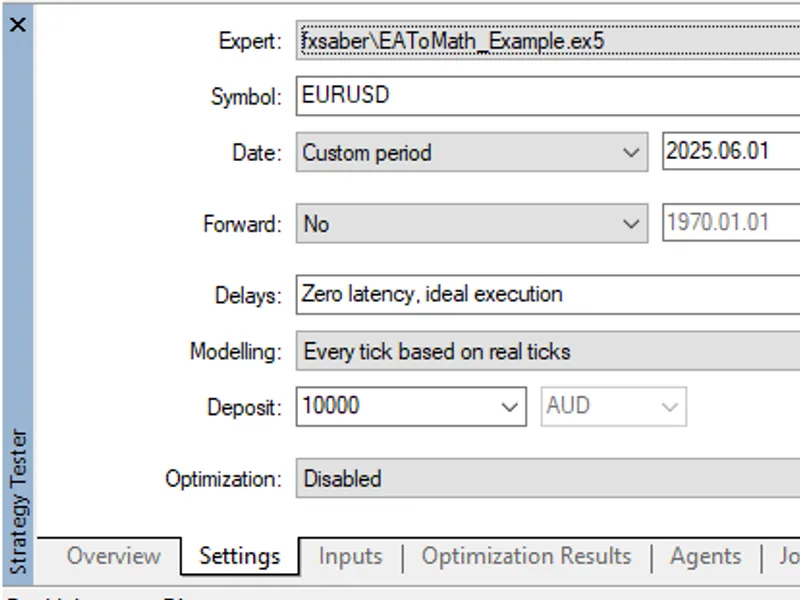
This library adds the ability to test trading Expert Advisors in the MT5 tester mathematical mode.
Some explanations of the proposed implementation will be given below.
Connection.
To give your EA the ability to trade in math mode, you need to add the following line to it.
And allow the use of DLL (safe - open source code).
Saving ticks.
First you need to save ticks by running a single pass of the EA with the corresponding specified input parameter.
After the pass, the log will contain information about the saved ticks.
Run.
After that you can run the Expert Advisor in the trading and mat mode of the MT5 Tester.
In the Tester's log there will be the corresponding information.
Performance.
The screen shows the performance of optimisation in different modes from left to right: on real ticks (pips), on real ticks with virtual environment and mathematical mode.
You can clearly see that in this case the math mode is much faster.
Advantages.
The math mode outperforms the usual MT5 tester trading mode when using this library by only two indicators.
Performance is noticeably higher.
Almost zero memory consumption. Libraries.
The following libraries are used for compilation.