










cdir (mt5) - a class for getting directory contents
Info
The cdir (mt5) - a class for getting directory contents is a Library for MetaTrader 5 that sometimes it is necessary to go beyond the sandbox and read the contents to check the existence of a file or directory in the file system. also, you may need to find a file or directory attributes, file size, creation time, last access or writing.
Usage
This tool is typically used for enhancing chart analysis and decision making.
Platform
This Library works exclusively on MetaTrader 5 (both build 600+ and newer versions).
Setup
Place the downloaded file in MQL5/Libraries folder via File ? Open Data Folder in MetaTrader 5.
How to Install and Use cdir (mt5) - a class for getting directory contents
1. Storage: Place library files in the MQL/Libraries directory to ensure they are accessible to your projects.
2. Implementation: Include the library in your code using the #import directive, ensuring you match the exact function names and parameters.
3. Compilation: Ensure the library is present in the directory before you compile your main EA or script, as the compiler links them during this phase.
4. Management: Keep libraries organized in sub-folders if you manage many custom functions to maintain a clean project structure.
Frequently Asked Questions
Q: What is a library file used for? A: Libraries store reusable code modules, allowing you to centralize common logic used by multiple EAs or indicators.
Q: Is a library executable? A: No, libraries are non-executable files containing functions; they must be imported into an EA, indicator, or script to function.
Q: Can I update a library while the platform is running? A: You should compile your EA or script after updating a library to ensure the latest code changes are integrated.
What this tool does
sometimes it is necessary to go beyond the sandbox and read the contents to check the existence of a file or directory in the file system.
Typical Use Case
This Library excels in automated trading and technical analysis on MetaTrader 5.
Compatible Platform & Setup
This Library works on MetaTrader 5. Place the file in the MQL5/Libraries folder and restart the terminal.
Description & Settings
Related: Moving Average Oscillator on Array Calculation (MT5) - another powerful library for MetaTrader 5 traders.
sometimes it is necessary to go beyond the sandbox and read the contents to check the existence of a file or directory in the file system. also, you may need to find a file or directory attributes, file size, creation time, last access or writing. the following code shows an example of how to solve these problems:
Also recommended: Envelope Indicator on Array Calculation Class (MT5) - similar library with strong performance on MetaTrader 5.
a standard prologue and description of variables, as well as a link to the source code of the #include <win_api\dir_api.mqh> include class is am implicit instruction to the compiler that it should look for the file in the folder \mql5\include\win_api. you are free to change this link, depending on your preference in the organization of work with include files in accordance with the .as we can see, the string variable
path
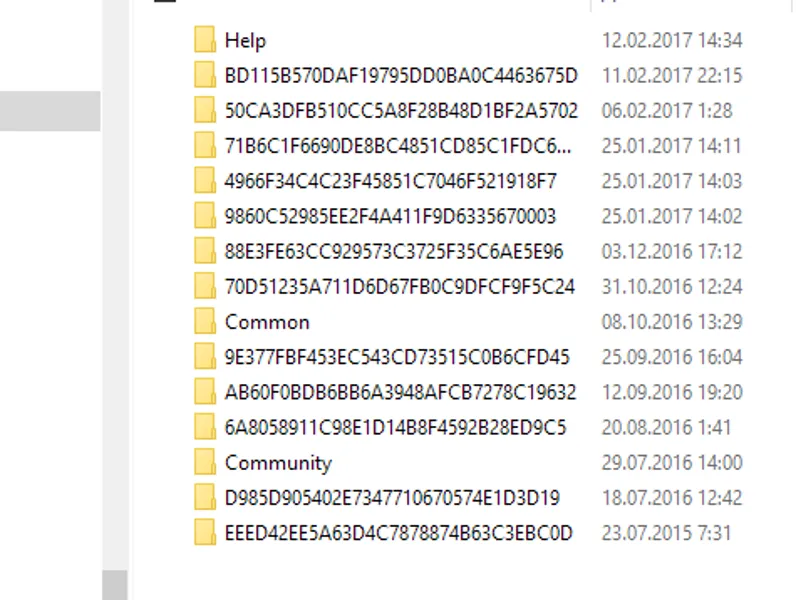
contains the path to the folder, which is two levels above the standard location of the running terminal directory, and we (if the option is not used) obtain the path to the directory that contains the user data of all the client terminals of that user.
a thoughtful reader would say that we do extra movements - that it could be enough to get one level up in order to go to the right directory. but what if we want to navigate to another folder, for example crashes or tester? this is a more instructive example.
let us get back to the example code.
having created a class instance, we receive the number of element (files and subdirectories) in the
total
variable. by organizing a loop we can print the list of directories of terminals (skipping shared directories). let us illustrate access to the instance data by accessing a copy of the working data structure of the
file
class.
the example of printing part of directory contents (using the selection of elements containing the m letter at the beginning) demonstrates other methods for working with the class members.
in the following part of code, we check the existence of the specific file and find out its length.
the test script ends with an example of using references to an instance of the class storing the directory contents element:
i have no doubt that most readers will use this method for accessing class data in their work.
additional information might be needed for understanding attributes:
i hope that this example and the class itself will be useful to you.
enjoy it!
You may also like: log4mql (mt5) - excellent alternative for library users on MetaTrader 5.
Source Code
/.......
⚠ Limitations & Risk Warning
- This tool is provided for educational and testing purposes only.
- Past performance does not guarantee future results.
- Trading involves substantial risk of loss. Use on a demo account first.
- Results may vary depending on market conditions, broker, and settings.
- We recommend thorough backtesting and forward testing before using with real funds.