Local Timezones and Local Session Hours
This is a powerful addition to your MetaTrader 5 toolkit designed to optimize market analysis and performance. This library provides a collection of modular, reusable code. It is utilized by developers to organize common functions, allowing for the integration of complex logic across multiple Expert Advisors, indicators, or scripts without the need for code duplication.
How to Setup and Use Local Timezones and Local Session Hours
1. Storage: Place library files in the MQL/Libraries directory to ensure they are accessible to your projects.
2. Implementation: Include the library in your code using the #import directive, ensuring you match the exact function names and parameters.
3. Compilation: Ensure the library is present in the directory before you compile your main EA or script, as the compiler links them during this phase.
4. Management: Keep libraries organized in sub-folders if you manage many custom functions to maintain a clean project structure.
Frequently Asked Questions
Q: What is a library file used for? A: Libraries store reusable code modules, allowing you to centralize common logic used by multiple EAs or indicators.
Q: Is a library executable? A: No, libraries are non-executable files containing functions; they must be imported into an EA, indicator, or script to function.
Q: Can I update a library while the platform is running? A: You should compile your EA or script after updating a library to ensure the latest code changes are integrated.
Description & Settings
Hello, traders.
This library has all the functions to get the current local time in a specific or all Forex markets. You can convert the local times between time zones or to your broker's server time. You can also trade in specific sessions by setting the session start and end times for each session, separately. The library will take care of the different time offsets and daylight time changes of the broker and these markets. This relieves the burden of reinventing the wheel every time you program an expert advisor or a technical indicator that has to deal with time zones and local session hours.
What is the Timezone?
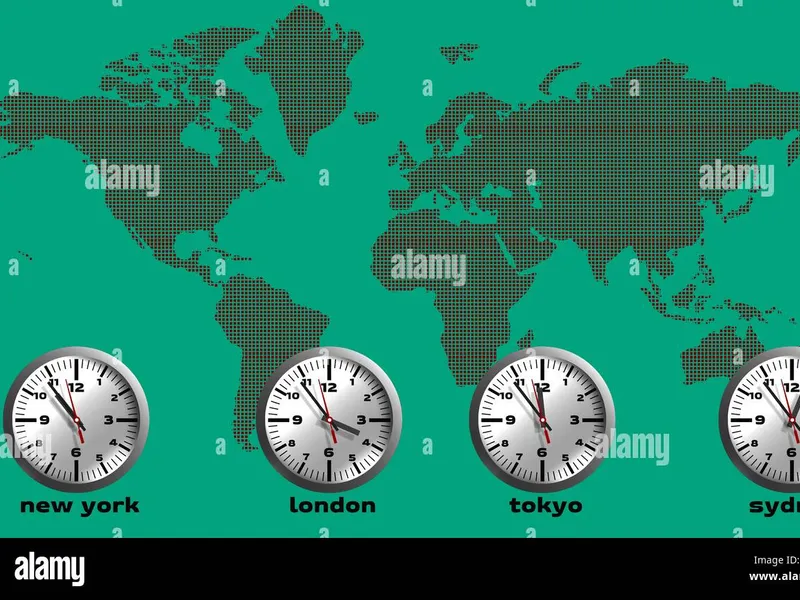
Timezone is defined as the standard time depending on the geographical representation of that place. In other words, timezone refers to the local time of a particular region based on the earth's rotation. It is defined in UTC (Coordinated Universal Time), the standard against which the world's region-based time is coordinated.
For Example
- Time in New York is 5 hours behind Greenwich and represented as UTC-5 or UTC-4 based on the day light. Time in Sydney is 10 hours ahead of Greenwich and represented as UTC+10 or UTC+11 based on the day light (summer or winter). The terms UTC and GMT are often used interchangeably to express offsets, so UTC+2 and GMT+2 often have the same meaning.
The UTC offset is positive if the timezone is east of GMT, and it is negative if the timezone is west of GMT.
Time Zone Identifiers Class interface Class interface Offset Notation Used In The Library
Please note, that the library denotes positive time zones by positive offsets, and negative time zones by negative offsets.
This is the opposite of MQL5's built-in TimeGMTOffset() function which denotes positive time zones, such as GMT+3, by negative offsets, such as -10800, and vice versa.
Selecting The Symbol For Estimation of The Server TZ/DST
By default, the library will search and load the XAUUSD symbol for estimation of server's timezone offset. XAUUSD can provide more reliable results (esp., for brokers that follow EU DST schedule) on weeks during US DST and EU DST schedules are out of sync (March and late October). Optionally, if your broker follows the US DST schedule, or no schedule at all, then using the chart symbol is also fine. Call CTimeZoneInfo::SetUsingGoldSymbol() with 'false' to use the current chart's symbol, instead of XAUUSD.
To determine your broker's daylight (DST) schedule, you can use this script
Note
:
As a side effect that XAUUSD starts an hour after Forex, dst switches will occur one hour later (only in the strategy tester, and not in normal mode).
Note about Compatibility with The Strategy Tester
During testing in the strategy tester, TimeGMT() is always equal to TimeTradeServer() simulated server time.
TimeZoneInfo library estimates the proper times in time zones based on the "true" GMT by analysis of H1 quotes history, and not based on the time returned by calling built-in TimeGMT function.
If the XAUUSD symbol is used for estimation of the server's TZ/DST, then dst switches will occur one hour later in the strategy tester.
I. Working with Local Timezones How to get the current time?
The RefreshTime() method will update the current local time of the time zone. Let us see an example to show how we can get the current time.
output
:
Do you need more information?
output:
Notes:
- TimeUTC()
method returns the UTC time, which is equivalent to GMT time.
- TimeLocal()
method returns the local time of this time zone (which could have been changed as a result of calling RefreshTime or SetLocalTime methods).
- TimeGMTOffset()
method returns the current difference between this time zone's local time and GMT time in seconds, taking into account switch to winter or summer time. The returned offset includes the DST adjustment of the current time zone. The GMT offset is positive if the timezone is east of (ahead of) GMT, and it is negative if the timezone is west of (behind) GMT.
-
TimeDaylightSavings()
method returns the daylight saving time (DST) adjustment in seconds, if the switch to summer time has been made in the zones where DST is in effect. If switch to winter (standard) time has been made (or, if the time zone does not support DST), it returns 0. The dst adjustment is already part of the the TimeGMTOffset.
How to configure the built-in custom timezone for later use?
The CTimeZoneInfo class includes a SetCustomTimeZone method, which you can use to configure the built-in custom time zone. Later, the custom time zone can be used via the ZONE_ID_CUSTOM identifier. Let us see an example to show how we can configure the built-in custom time zone to a specified name, an offset from Greenwich Mean Time (GMT) and a daylight schedule identifier.
2024.11.01 - v.1.99 : Added an option to switch off the default loading of Gold symbol for estimation of the server's TZ/DST. Call CTimeZoneInfo
::
SetUsingGoldSymbol() with 'false' to use the current chart's symbol, instead.
2024.11.13 - v.2.00 : Improved estimation of online server tz/dst and in the strategy strategy (TimeGMT library is no longer needed). Constructor accepts place and time parameters. New public methods for working with data of datetime type. Improved error handling and debugging support.
2024.11.14 - v.2.02 : Fixed error ERR_HISTORY_NOT_FOUND (4401) when trying to access the XAUUSD,H1 quotes history by the server timezone object.
2024.11.17 - v.2.03 : Minor bug fixes.
2024.11.23 - v.2.04 : Minor improvements and bug fixes.
2024.12.05 - v.2.05 : Added new static method DaylightSavingsSupported(placeId).
2024.12.12 - v.2.10 : Improved performance of HistoryServerGMTOffset() and HistoryServerDaylightSavings() functions, and other minor code changes.
2024.12.14 - v.2.11 : Improved performance of FindSymbol() function.
2024.12.17 - v.2.12 : Further optimization of HistoryServerGMTOffset() and HistoryServerDaylightSavings() functions.
2024.12.24 - v.2.13 : Fixed potential issue in HistoryServerGMTOffset() and HistoryServerDaylightSavings() functions.
2025.01.12 - v.2.15 : Fixed issue in HistoryServerDaylightSavings() of searching for quotes history earlier than the loaded history in the strategy tester.
2025.10.13 - v.2.17 : Minor improvements and bug fixes.