
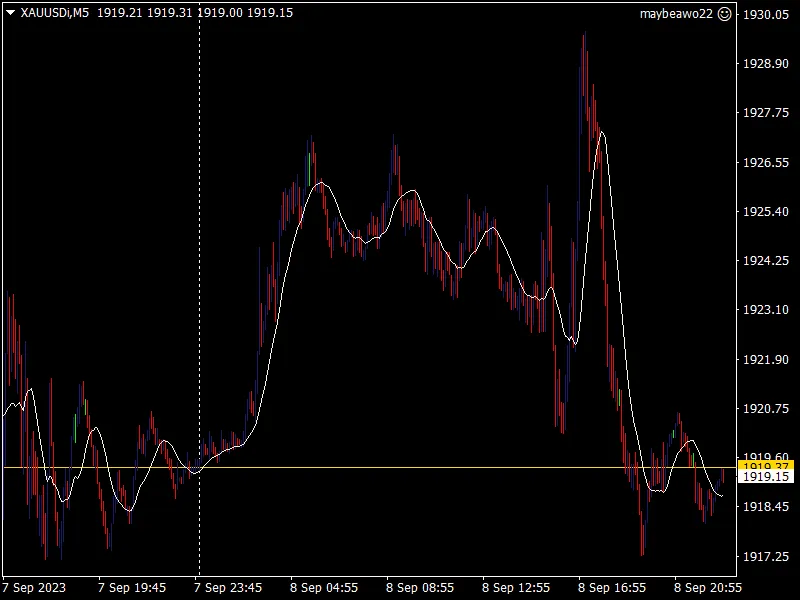
Sidus Cloud Indicator
Info
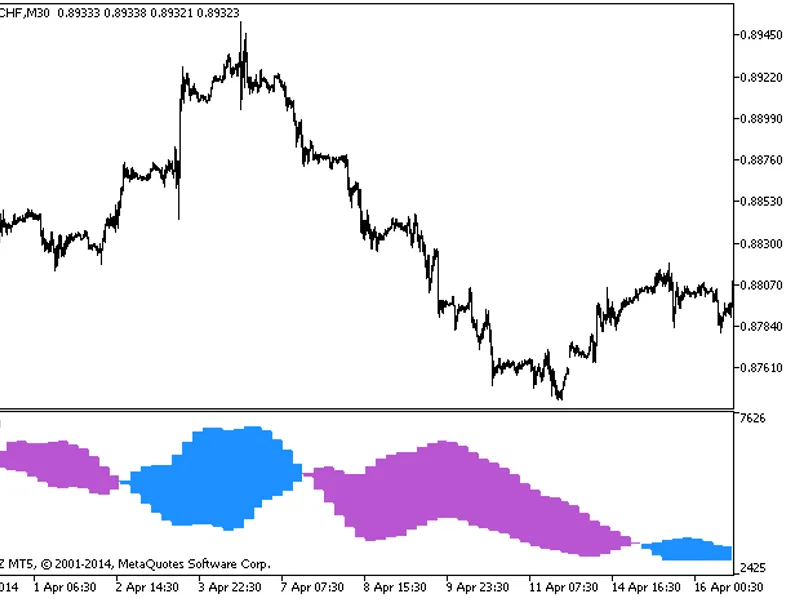
The Sidus Cloud Indicator is a Indicator for MetaTrader 5 that the sidus cloud indicator displays a cloud within a channel formed by two moving averages (ma): exponential moving average (ema) and linear weighted moving average (lwma). This indicator has five input parameters:- First LWMA Period: Calculation period for the first LWMA.
Usage
This tool is typically used for enhancing chart analysis and decision making.
Platform
This Indicator works exclusively on MetaTrader 5 (both build 600+ and newer versions).
Setup
Place the downloaded file in MQL5/Indicators folder via File ? Open Data Folder in MetaTrader 5.
How to Install and Use Sidus Cloud Indicator
1. Installation: Place your file in the MQL/Indicators folder via "Open Data Folder" and restart your terminal.
2. Loading: Find the indicator in the Navigator, drag it onto your chart, and configure the input parameters in the popup window.
3. Customization: Press Ctrl+I to open the indicator list, select your tool, and click "Properties" to change colors, levels, or visual styles.
4. Updating: Replace the old file in the Indicators folder with the new version and restart the platform to apply changes.
Frequently Asked Questions
Q: Why is my indicator not showing? A: Verify the file is in the MQL/Indicators folder, or try right-clicking the "Indicators" tree in the Navigator and clicking "Refresh."
Q: Do custom indicators slow down the platform? A: Too many complex indicators can impact performance; remove unused ones via the "Indicator List" (Ctrl+I).
Q: Can I use MT4 indicators on MT5? A: No, MQL4 and MQL5 are distinct languages; ensure the indicator is compiled specifically for your platform version.
What this tool does
The Sidus Cloud indicator displays a cloud within a channel formed by two Moving Averages (MA): Exponential Moving Average (EMA) and Linear Weighted Moving Average (LWMA).
Typical Use Case
This Indicator excels in automated trading and technical analysis on MetaTrader 5.
Compatible Platform & Setup
This Indicator works on MetaTrader 5. Place the file in the MQL5/Indicators folder and restart the terminal.
Description & Settings
Related: Ichimoku Cloud Indicator - another powerful indicator for MetaTrader 5 traders.
The Sidus Cloud indicator displays a cloud within a channel formed by two Moving Averages (MA): Exponential Moving Average (EMA) and Linear Weighted Moving Average (LWMA).Also recommended: Three Ichimoku Cloud Moving Averages - similar indicator with strong performance on MetaTrader 5.
This indicator has five input parameters:
- First LWMA Period: Calculation period for the first LWMA.
- Second LWMA Period: Calculation period for the second LWMA.
- First EMA Period: Calculation period for the first EMA.
- Second EMA Period: Calculation period for the second EMA.
- Applied Price: Price used for calculations.
Recommendations:
- Use a timeframe of H1 or higher.
Components:
- 5 LWMA and 8 LWMA (blue lines)
- 18 EMA and 28 EMA (red lines)
Inputs:
- EMA lines touch or cross each other.
Long:
- 5 LWMA and 8 LWMA cross the EMA channel upwards. If 5 LWMA also crosses 8 LWMA upwards, the signal is strong.
Short:
- 5 LWMA and 8 LWMA cross the EMA channel downwards. If 5 LWMA also crosses 8 LWMA downwards, the signal is strong.
Outputs:
- Long: Close position when the price reaches the top and 5 LWMA goes under 8 LWMA.
- Short: Close position when the price reaches the bottom and 5 LWMA grows above 8 LWMA.
Other Signals:
- Always close the position when EMA lines touch or cross each other, then analyze and open a new position based on the signals.
Note: When a position is open and both LWMAs cross the EMA channel, it indicates that the EMA lines are likely to cross in the near future.
You may also like: x2 MA BBx3 Cloud - excellent alternative for indicator users on MetaTrader 5.
Source Code
/.......
⚠ Limitations & Risk Warning
- This tool is provided for educational and testing purposes only.
- Past performance does not guarantee future results.
- Trading involves substantial risk of loss. Use on a demo account first.
- Results may vary depending on market conditions, broker, and settings.
- We recommend thorough backtesting and forward testing before using with real funds.