





price var
Info
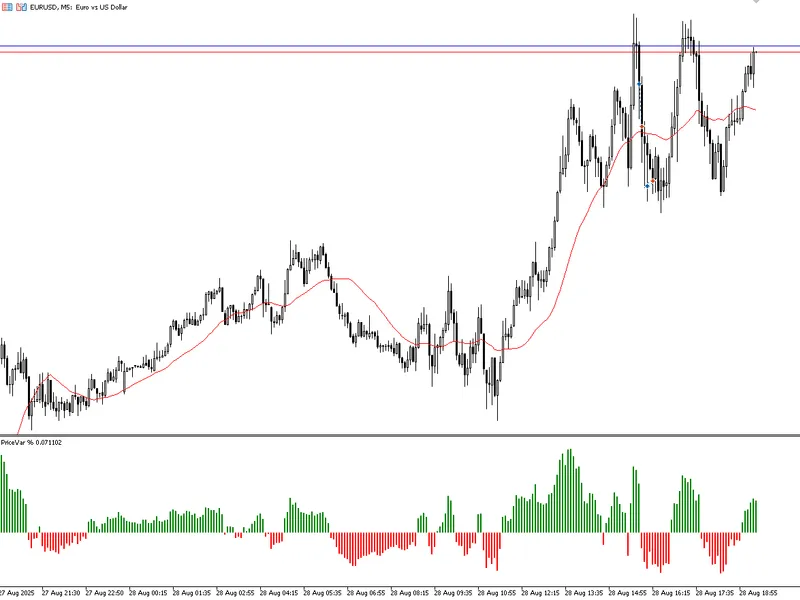
The price var is a Indicator for MetaTrader 5 that pricevar%is an indicator designed to measure the percentage difference between the price and a moving average, highlighting the strength of the market movement in relation to a reference value. how it works if the closing price is above the average, the calculation is:var = (high - ma) / ma * 100; if the closing price is below the average, the calculation is:the result is displayed as a percentage histogram (%): green→ when the price is above average (buying force).
Usage
This tool is typically used for enhancing chart analysis and decision making.
Platform
This Indicator works exclusively on MetaTrader 5 (both build 600+ and newer versions).
Setup
Place the downloaded file in MQL5/Indicators folder via File ? Open Data Folder in MetaTrader 5.
How to Install and Use price var
1. Installation: Place your file in the MQL/Indicators folder via "Open Data Folder" and restart your terminal.
2. Loading: Find the indicator in the Navigator, drag it onto your chart, and configure the input parameters in the popup window.
3. Customization: Press Ctrl+I to open the indicator list, select your tool, and click "Properties" to change colors, levels, or visual styles.
4. Updating: Replace the old file in the Indicators folder with the new version and restart the platform to apply changes.
Frequently Asked Questions
Q: Why is my indicator not showing? A: Verify the file is in the MQL/Indicators folder, or try right-clicking the "Indicators" tree in the Navigator and clicking "Refresh."
Q: Do custom indicators slow down the platform? A: Too many complex indicators can impact performance; remove unused ones via the "Indicator List" (Ctrl+I).
Q: Can I use MT4 indicators on MT5? A: No, MQL4 and MQL5 are distinct languages; ensure the indicator is compiled specifically for your platform version.
What this tool does
pricevar%is an indicator designed to measure the percentage difference between the price and a moving average, highlighting the strength of the market movement in relation to a reference value.
Typical Use Case
This Indicator excels in automated trading and technical analysis on MetaTrader 5.
Compatible Platform & Setup
This Indicator works on MetaTrader 5. Place the file in the MQL5/Indicators folder and restart the terminal.
Description & Settings
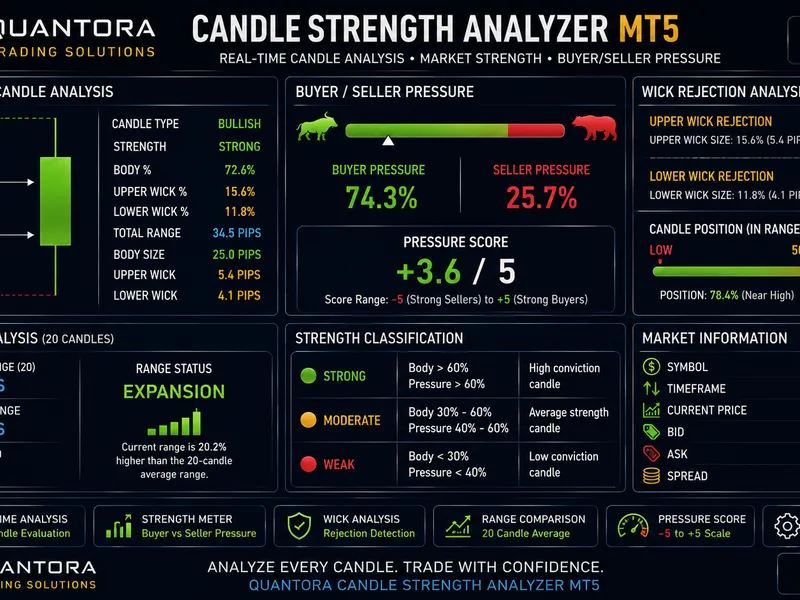
Related: Quantora Candle Strength Analyzer MT5: Price Action and Wick Analysis - another powerful indicator for MetaTrader 5 traders.
Also recommended: price channel indicator - similar indicator with strong performance on MetaTrader 5.
pricevar%is an indicator designed to measure the
percentage difference between the price and a moving average
, highlighting the strength of the market movement in relation to a reference value.
how it works
if the
closing price is above the average
, the calculation is:
var = (high - ma) / ma * 100
;
if the
closing price is below the average
, the calculation is:
the result is displayed as a
percentage histogram (%):
green
→ when the price is above average (buying force).
red
→ when the price is below average (selling force).
interpretation
positive
values indicate the distance of the
high from the average
.
negative
values indicate the distance of the
low from the average
.
the higher the absolute value, the greater the percentage distance of the price from the average.
practical applications
identifying
moments of overbought/oversold relative to the average
.
measuring
percentage volatility
around the average.
aid in
breakout or reversal
strategies by validating the intensity of the movement.
use as a
filter in automated systems
(e.g. only trade when the percentage change exceeds a certain threshold).
parameters
average period (iperiod):
defines the horizon of the moving average used as a reference.
You may also like: kinematic price physics: velocity and acceleration indicators - excellent alternative for indicator users on MetaTrader 5.
Source Code
яю//+------------------------------------------------------------------+
#property copyright "RobotFX"
#property version   "1.01"
#property indicator_separate_window
#property indicator_buffers 3
#property indicator_plots   1
#property indicator_label1  "Var"
#property indicator_type1   DRAW_COLOR_HISTOGRAM
#property indicator_color1  clrRed,clrGreen
#property indicator_style1  STYLE_SOLID
.......
⚠ Limitations & Risk Warning
- This tool is provided for educational and testing purposes only.
- Past performance does not guarantee future results.
- Trading involves substantial risk of loss. Use on a demo account first.
- Results may vary depending on market conditions, broker, and settings.
- We recommend thorough backtesting and forward testing before using with real funds.