IC T Silver Bullet and Macro Imbalance Filter
This software component for MetaTrader 5 is built to enhance the capabilities of your trading environment. This technical indicator acts as a specialized analysis tool designed to visualize market data. It helps traders identify emerging trends, momentum shifts, and key support or resistance levels by plotting statistical calculations directly onto price charts.
How to Setup and Use IC T Silver Bullet and Macro Imbalance Filter
1. Installation: Place your file in the MQL/Indicators folder via "Open Data Folder" and restart your terminal.
2. Loading: Find the indicator in the Navigator, drag it onto your chart, and configure the input parameters in the popup window.
3. Customization: Press Ctrl+I to open the indicator list, select your tool, and click "Properties" to change colors, levels, or visual styles.
4. Updating: Replace the old file in the Indicators folder with the new version and restart the platform to apply changes.
Frequently Asked Questions
Q: Why is my indicator not showing? A: Verify the file is in the MQL/Indicators folder, or try right-clicking the "Indicators" tree in the Navigator and clicking "Refresh."
Q: Do custom indicators slow down the platform? A: Too many complex indicators can impact performance; remove unused ones via the "Indicator List" (Ctrl+I).
Q: Can I use MT4 indicators on MT5? A: No, MQL4 and MQL5 are distinct languages; ensure the indicator is compiled specifically for your platform version.
Description & Settings
Trading the Smart Money Concepts without proper time alignment is a guaranteed way to become liquidity for algorithmic servers, the market is not constantly seeking fair value because it only triggers true directional moves during specific macroeconomic windows.
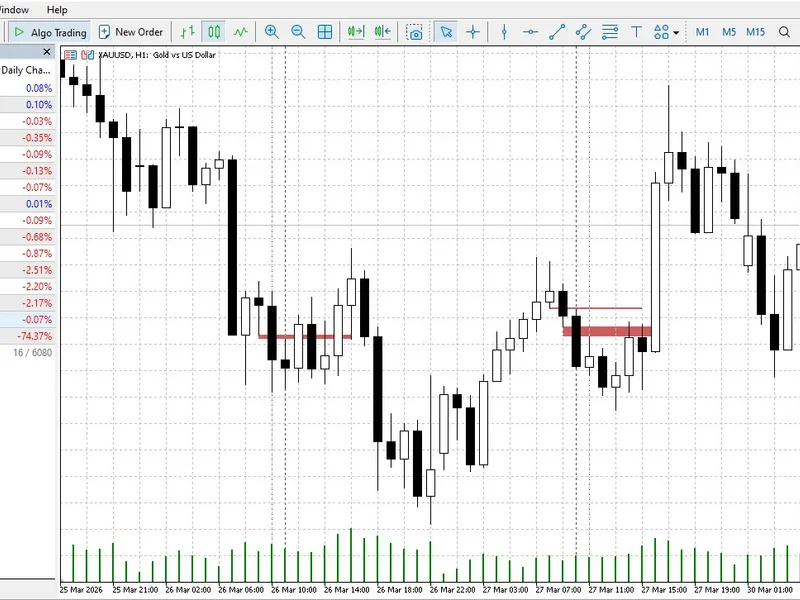
The ICT Silver Bullet concept focuses precisely on these high-probability timeframes where central bank liquidity is injected into the microstructure. This custom indicator was engineered to completely automate the detection of these temporal windows while visually filtering out the structural noise that traps retail traders. It draws the true execution zones directly on your chart and scans the price action to project Fair Value Gaps that form exclusively inside these active timeframes. You do not need to manually calculate your broker server time offset anymore because the underlying algorithm handles the GMT shift dynamically to ensure your session alignment is mathematically perfect.
Identifying an imbalance during a dead session is useless and often leads to false breakouts or immediate reversals. By restricting the visual output only to the specific morning or afternoon macroeconomic windows you are effectively trading alongside the true institutional delivery cycle rather than guessing random chart patterns. The underlying MQL5 code is highly optimized to run exclusively on the recent visible history which prevents any CPU throttling or terminal freezing during intense volatility spikes. Just attach the tool to a lower timeframe like the M5 or M15 and let the macro algorithm highlight where the real order flow is actually happening.