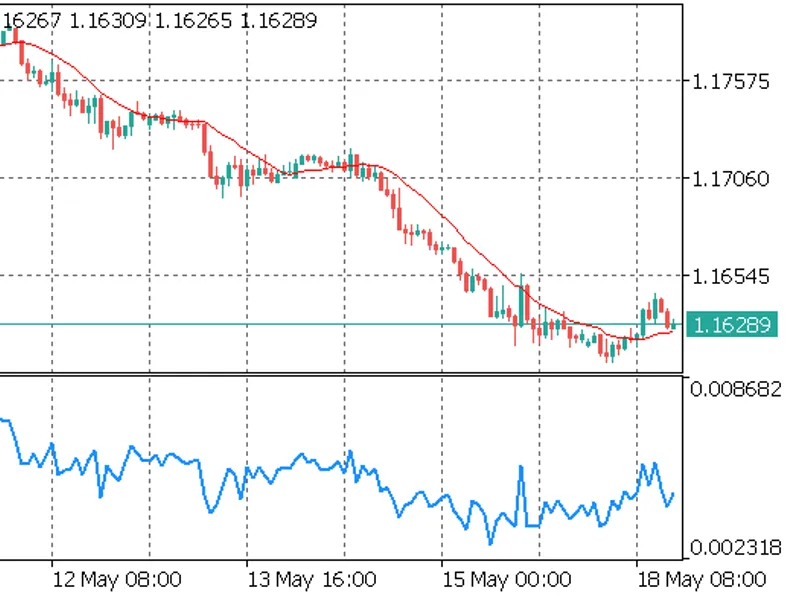
Fixed-Width Fractional Differencing (FF D)
This professional-grade solution for MetaTrader 5 helps traders achieve greater efficiency in their daily workflow. This technical indicator acts as a specialized analysis tool designed to visualize market data. It helps traders identify emerging trends, momentum shifts, and key support or resistance levels by plotting statistical calculations directly onto price charts.
How to Setup and Use Fixed-Width Fractional Differencing (FF D)
1. Installation: Place your file in the MQL/Indicators folder via "Open Data Folder" and restart your terminal.
2. Loading: Find the indicator in the Navigator, drag it onto your chart, and configure the input parameters in the popup window.
3. Customization: Press Ctrl+I to open the indicator list, select your tool, and click "Properties" to change colors, levels, or visual styles.
4. Updating: Replace the old file in the Indicators folder with the new version and restart the platform to apply changes.
Frequently Asked Questions
Q: Why is my indicator not showing? A: Verify the file is in the MQL/Indicators folder, or try right-clicking the "Indicators" tree in the Navigator and clicking "Refresh."
Q: Do custom indicators slow down the platform? A: Too many complex indicators can impact performance; remove unused ones via the "Indicator List" (Ctrl+I).
Q: Can I use MT4 indicators on MT5? A: No, MQL4 and MQL5 are distinct languages; ensure the indicator is compiled specifically for your platform version.
Description & Settings
Raw forex and futures prices are non-stationary: standard regression and classification models trained on them face severe look-ahead bias and spurious correlations. The naive fix — integer differencing — eliminates non-stationarity but destroys all price memory in the process, discarding the very autocorrelation structure that a predictive model needs.
Fixed-width fractional differencing (FFD), introduced in Chapter 5 of Advances in Financial Machine Learning (López de Prado, 2018), resolves this by differencing at a non-integer order d ∈ (0, 1) that is just sufficient for stationarity while retaining maximum memory. This submission provides a production-grade MQL5 implementation of that method.
Two-panel illustration of FFD output: non-stationary raw price (a) and stationary FFD series (b) with the lookback window marked
Components
FFDEngine.mqh
— Header-only library containing the CFFDEngine class. Provides Init(), Compute() (single bar), and ComputeBuffer() (full indicator buffer with prev_calculated optimization). No dynamic memory allocation after OnInit().
FFD.mq5
— Custom indicator that wraps CFFDEngine. Draws the FFD series in a separate chart window. Supports all ENUM_APPLIED_PRICE values. How the Algorithm Works
The weight vector is defined by the recurrence (AFML eq. 5.4):
w[0] = 1 w[k] = -w[k-1] * (d - k + 1) / k, k = 1, 2, ...
Iteration stops when |w[k]| < threshold. The vector is then reversed so the oldest price in the lookback window receives the smallest weight and the newest price receives 1.0. The FFD value at bar i is the dot product of the reversed weight vector with the log-price window [i−width, …, i].
For d = 0.4 and threshold = 1e-5, the window width is 1 457 bars. For threshold = 1e-3 it is 54 bars. The threshold controls the stationarity–memory tradeoff: smaller values preserve more memory at the cost of a wider lookback requirement.
Input Parameters Installation
Copy FFDEngine.mqh to your MQL5\Include\ folder (or the subfolder specified during CodeBase download — see file locations below).
Copy FFD.mq5 to MQL5\Indicators\Downloads\ (placed there automatically on CodeBase download).
Compile both files in MetaEditor. The indicator should compile without warnings under #property strict.
Attach FFD to any chart. The indicator window will appear below the main chart after the lookback window (width + 1 bars) has been filled. Using CFFDEngine in Your Own EA or Indicator
FFDEngine.mqh is a header-only library. Include it and call Init() once in OnInit():
Cross-Validation Against Python
The companion file FFDValidation.mq5 (available in the article download) exports FFD values to a CSV file. The Python script ffd_cross_validate.py recomputes the same values using the afml library and compares bar-by-bar. On 5 000 bars of EURUSD H1 with d = 0.4 and threshold = 1e-5, the maximum absolute difference is below 1e-12.
Performance Notes
Weight vector allocation: once in OnInit(). Zero allocation on the tick path.
Per-bar computation: O(width) dot product. On modern hardware, a dot product over 1 457 elements completes in under 50 μs.
ComputeBuffer() uses the prev_calculated argument to skip already-computed bars — only the current incomplete bar is recomputed on each tick. References and Companion Article
López de Prado, M. (2018). Advances in Financial Machine Learning, Chapter 5 (Fractional Differentiation), pp. 76–95. Wiley.
Full theory, Python implementation, and ADF-based parameter search: by Patrick M. Njoroge.
Companion validation tools: FFDValidation.mq5 and ffd_cross_validate.py — included in the article download package.