Bollinger Band Width calculation with Neural Network using
This professional-grade solution for MetaTrader 5 helps traders achieve greater efficiency in their daily workflow. This Expert Advisor serves as automated trading software. It is utilized to monitor financial markets and execute trades based on predefined algorithmic rules, enabling precise position management without the need for constant manual oversight.
How to Setup and Use Bollinger Band Width calculation with Neural Network using
1. Installation: Open the "File" menu, select "Open Data Folder," navigate to MQL/Experts, paste your file, and restart the terminal.
2. Activation: Drag the EA from the Navigator onto a chart, ensure "Allow live trading" is checked in the Common tab, and verify the AutoTrading button is green.
3. Optimization: Right-click your chart, choose "Expert List," click "Properties" to adjust inputs, and save your preferred setup as a set file for future use.
4. Maintenance: Regularly check the "Experts" tab in the terminal window to monitor trade logs and potential execution errors.
Frequently Asked Questions
Q: Why is my EA not opening trades? A: Check the "AutoTrading" button, ensure "Allow live trading" is enabled, and verify your broker allows automated trading on your account type.
Q: Can I run multiple EAs on one chart? A: No, each chart can only host one active EA; however, you can open multiple charts for different currency pairs to run several EAs.
Q: What does the "smiley face" icon mean? A: A smiley face in the top-right corner of the chart indicates the EA is successfully running; a frowny face means it is disabled.
Description & Settings
I have been searching for a BB Width Expert Advisor, but I couldn't find it anywhere. Then I decided to create my own, and as a part of my studies I did this. This Expert Advisor follows Neural Network method.
Test Result:
Initial Deposit 10000.
Gross Profit of 36000.
Time span 3.5 months.
What is
Bollinger Band Width
?
Bollinger Band Width is band formation in . In his book ("Bollinger on Bollinger Bands"), John Bollinger refers to Bollinger Band Width as one of two indicators that can be derived from Bollinger Bands. The other indicator is %B.
BandWidth measures the percentage difference between the upper band and the lower band. BandWidth decreases as Bollinger Bands narrow and increases as Bollinger Bands widen. Because Bollinger Bands are based on the standard deviation, falling BandWidth reflects decreasing volatility and rising BandWidth reflects increasing volatility.
Important Patterns!
Narrowness:
Narrow BandWidth is relative. BandWidth values should be gauged relative to prior BandWidth values over a period of time. It is important to get a good look-back period to define BandWidth range for a particular Symbol.
The Squeeze:
Bollinger BandWidth is best known for identifying the Squeeze. This occurs when volatility falls to a very low level, as evidenced by the narrowing bands. The upper and lower bands are based on the standard deviation, which is a measure of volatility. The bands narrow as price flattens or moves within a relatively narrow range. The theory is that periods of low volatility are followed by periods of high volatility. Relatively narrow BandWidth (a.k.a. the Squeeze) can foreshadow a significant advance or decline. After a Squeeze, a price surge and subsequent band break signal the start of a new move. A new advance starts with a Squeeze and subsequent break above the upper band. A new decline starts with a Squeeze and subsequent break below the lower band.
"An Idea Can Change Your Life" ;-)
Width Calculation I have used the classical method: (BBupperBand - BBLlowerBand) / BBMidleBand.Formula:
inputs[i*2]=(((iBands_Upperbuf[i] - iBands_Lowerbuf[i]) / iBands_Basebuf[i]) - (x_min+x_minn) * (d2-d1)) / ((x_maxx+x_max) - (x_min+x_minn)) + d1;
It looks complicating but in reality it is just like A, B, C, D... The above article can help you a lot.
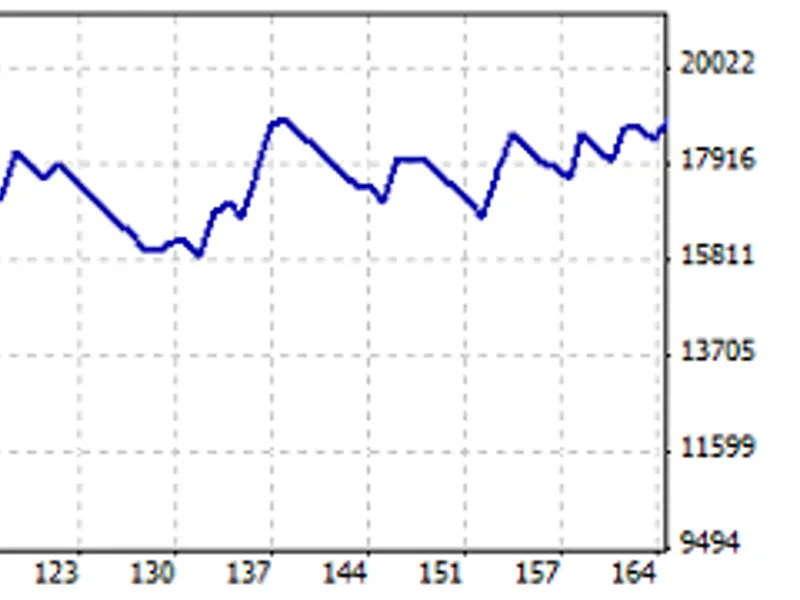
Expert Advisor test result is good, I have taken the period from 2013.01.01 to 2013.04.13. Balance:
I have attached the complete test result in the zip file.
Recommendations:
I don't recommend to use this Expert Advisor in real account.
In the same code you can use some volume indicator combination (CCI, MFI etc.).
Thank You,
Suresh B. Kakkattil,
Kerala, India.