
Metatrader shortcuts extensions (Emilio Shortcuts) :)
Info
The Metatrader shortcuts extensions (Emilio Shortcuts) :) is a Script for MetaTrader 4 that emilio reale is a trader that uses mt4 and other platforms. It uses IdleLib.
Usage
This tool is typically used for enhancing chart analysis and decision making.
Platform
This Script works exclusively on MetaTrader 4 (both build 600+ and newer versions).
Setup
Place the downloaded file in MQL4/Scripts folder via File ? Open Data Folder in MetaTrader 4.
How to Install and Use Metatrader shortcuts extensions (Emilio Shortcuts) :)
1. Installation: Move your script file into the MQL/Scripts directory and restart the platform.
2. Execution: Drag the script onto a chart; it will perform a one-time action, such as closing all open orders or clearing chart objects.
3. Editing: Use MetaEditor (F4) to modify code, click "Compile," and verify no errors appear in the terminal before running.
4. Removing: Scripts stop automatically, but you can remove them manually by right-clicking the chart and choosing "Remove Script."
Frequently Asked Questions
Q: How are scripts different from EAs? A: Scripts execute a single action and then stop; EAs monitor the market and trade continuously.
Q: Can I assign a hotkey to a script? A: Yes, right-click the script in the Navigator, select "Set Hotkey," and define your preferred keyboard shortcut.
Q: Why did my script stop? A: Scripts are designed to stop immediately after finishing their programmed command; this is normal behavior.
What this tool does
Emilio Reale is a trader that uses MT4 and other platforms.
Typical Use Case
This Script excels in automated trading and technical analysis on MetaTrader 4.
Compatible Platform & Setup
This Script works on MetaTrader 4. Place the file in the MQL4/Scripts folder and restart the terminal.
Description & Settings
Related: Send a message from metatrader to telegram - another powerful script for MetaTrader 4 traders.
Emilio Reale is a trader that uses MT4 and other platforms. It uses IdleLib.dll downloadable in the libraries section of codebase (included for semplicity).
Also recommended: Binary Option open trade - similar script with strong performance on MetaTrader 4.
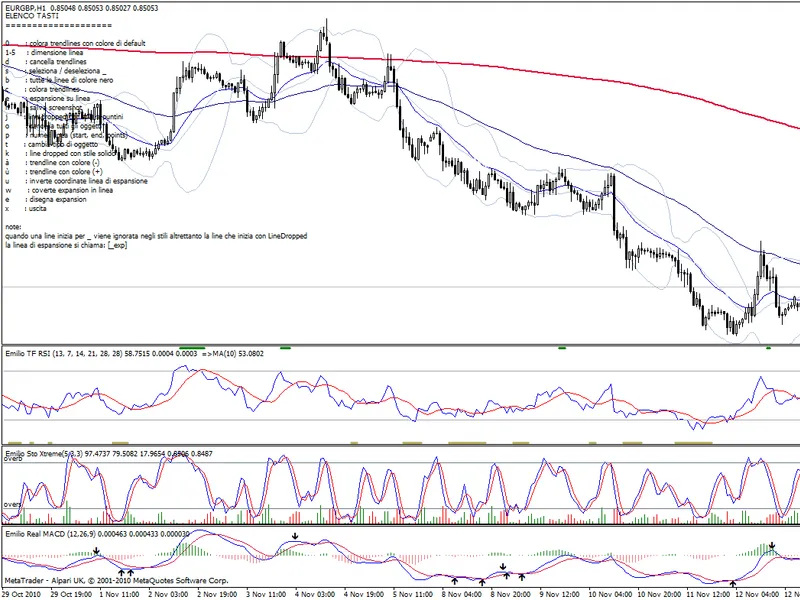
A brief intro:With this script it is very easy to change objects with some useful keyboard shortcuts. Normally I draw lot of objects in the charts and have some trouble recognizing them so:
this script change the size of the trend lines
this script change the size of the horizontal lines
this script change the size of the vertical lines
this script is able to exclude some objects from processing
this script print the market info
this scrips draw automatically expansion objects from a particular line (line name _exp)
if the line _exp is not drawn correctly this script exchange the direction of the line
this script delete of a line of a particular type very quickly
this script measure distances (swing) drawing a simple line (line name _lp)
this scrptt contains it's own help
to EXIT the script press the letter "X"
this script changes colors of lines
this script cycle colors of lines
this script shortcuts the screenshot saving I use a script shortcut (alt s) to activate the script automattically in MT4 and I use the fuction select objects with single mouse click to accellerate the selection of the objects.
keys (1 - 5) changes the size of the trendlines
key (d) delete all line types
key (t) changes type of objects to work on (trendlines, vertical lines, horizontal lines)
key (e) draw from the line named _exp a fibo expansion object
key (w) convert the expansion object back to a line
key (o) delete all objects
key (s) work on object selected and deselected ( I use the prefix _ tho identify objects)
key (?) prints help
key (p) prints the distance of a particular line wich name is _lp (used to calculate targets and stop loss)
key (s) save a screenshot
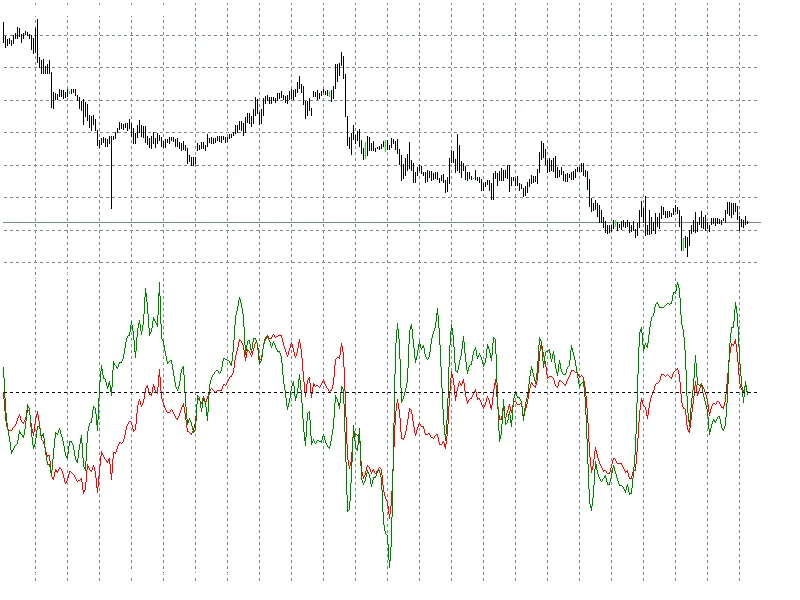
Image:
help screen
change color and size
prints out the distance of the line _lp
_exp to to draw expansion object
expansion object drawn
... and more feel free to investigate by yourself :)
Recommendations:
Place the dll file in the experts\libraries directory
Place the mq4 file in the experts\script directory
Unfortunatly MT4 does not have a function to identify by code so I must use two kind of lines name the names beginning with an "_ " underscore and the normal name this workaround permits the code to work on some objects or not (key S) selected objects are without the _ prefix
REMEMBER TO EXIT THE SCRIPT WITH THE X KEY WHEN THE WORK IS DONE!
you can follow me on twitter @emiliostefano or find me on facebook as Emilio Reale.
Feel yourself free to vote, comment, improve and ask infos.
Regards!
You may also like: Twitpic - Send chart screenshot - excellent alternative for script users on MetaTrader 4.
⚠ Limitations & Risk Warning
- This tool is provided for educational and testing purposes only.
- Past performance does not guarantee future results.
- Trading involves substantial risk of loss. Use on a demo account first.
- Results may vary depending on market conditions, broker, and settings.
- We recommend thorough backtesting and forward testing before using with real funds.