








Lot Library (lot_lib.mqh)
Info
The Lot Library (lot_lib.mqh) is a Library for MetaTrader 4 that deciding on the optimal lot size for each trade is a critical aspect of trading. The lot_lib.
Usage
This tool is typically used for enhancing chart analysis and decision making.
Platform
This Library works exclusively on MetaTrader 4 (both build 600+ and newer versions).
Setup
Place the downloaded file in MQL4/Libraries folder via File ? Open Data Folder in MetaTrader 4.
How to Install and Use Lot Library (lot_lib.mqh)
1. Storage: Place library files in the MQL/Libraries directory to ensure they are accessible to your projects.
2. Implementation: Include the library in your code using the #import directive, ensuring you match the exact function names and parameters.
3. Compilation: Ensure the library is present in the directory before you compile your main EA or script, as the compiler links them during this phase.
4. Management: Keep libraries organized in sub-folders if you manage many custom functions to maintain a clean project structure.
Frequently Asked Questions
Q: What is a library file used for? A: Libraries store reusable code modules, allowing you to centralize common logic used by multiple EAs or indicators.
Q: Is a library executable? A: No, libraries are non-executable files containing functions; they must be imported into an EA, indicator, or script to function.
Q: Can I update a library while the platform is running? A: You should compile your EA or script after updating a library to ensure the latest code changes are integrated.
What this tool does
Deciding on the optimal lot size for each trade is a critical aspect of trading.
Typical Use Case
This Library excels in automated trading and technical analysis on MetaTrader 4.
Compatible Platform & Setup
This Library works on MetaTrader 4. Place the file in the MQL4/Libraries folder and restart the terminal.
Description & Settings
Related: standard library - another powerful library for MetaTrader 4 traders.
Deciding on the optimal lot size for each trade is a critical aspect of trading. The lot_lib.mqh library offers a solution to this challenge by providing various lot size calculation algorithms.Also recommended: AlgLib: Numerical Analysis Library for MetaTrader - similar library with strong performance on MetaTrader 4.
Usage:
- Download lot_lib.mqh to the Metatrader 4\experts\include folder.
- Add the following lines to your EA:
- Replace the variable that defines the lot size (e.g., 'lot' or 'lots') with the lot() function when placing orders.
- Compile the EA and use it.
Note: For managing multiple open positions, assign the required values to the lotlib_prevlots and lotlib_prevprofit variables before opening a new position. Determine the appropriate values based on the last closed or opened position.
External Variables:
- lotsizevariant: Selects the lot size calculation algorithm (see below for options).
- startlot: Initial lot size (used in lotsizevariant 0-5).
- addlot: Lot size increment (used in lotsizevariant 1-4).
- klot: Increment ratio (used in lotsizevariant 3-4).
- maxrisk: Percentage of the deposit that can be risked (used in lotsizevariant 5-7, 11-17, 31-37).
- trueprofitpoints: Profit threshold (in points) to distinguish between profitable and unprofitable positions (used in lotsizevariant 1-4).
- balanceuse: Percentage of the balance to be used by the EA (used in lotsizevariant 5-7, 11-17, 31-37).
Possible values of lotsizevariant:
0: Fixed lot size defined by the startlot variable.
1: Increase or decrease lot size based on the profitability of the previous position (profit > trueprofitpoints).
2: Increase lot size if the previous position was unprofitable; otherwise, set to startlot.
3: Increase lot size by a factor of addlot if the previous position was unprofitable; otherwise, set to startlot.
4: Increase lot size by a factor of addlot if the previous position was unprofitable; otherwise, set to startlot.
5: Lot size is selected to limit the maximum loss to maxrisk percent of the deposit if the stop loss is triggered.
6: Lot size is a percentage of the balance, controlled by maxrisk. E.g., for EURUSD, a balance of 1000 and maxrisk=10 will open 0.1 lot.
7: Lot size is calculated as '1 percent of balance' divided by the average price movement in the last 20 bars, multiplied by 0.4.
11-17: Variants 1-7 with a maximum loss limit of maxrisk percent of the balance.
21-27: Variants 1-7 with a non-decreasing lot size.
31-37: Variants 1-7 with a maximum loss limit and non-decreasing lot size.
100-128: All variants in sequence for optimization.
Pre-configuration (if needed, modify the code):
Example of usage results:
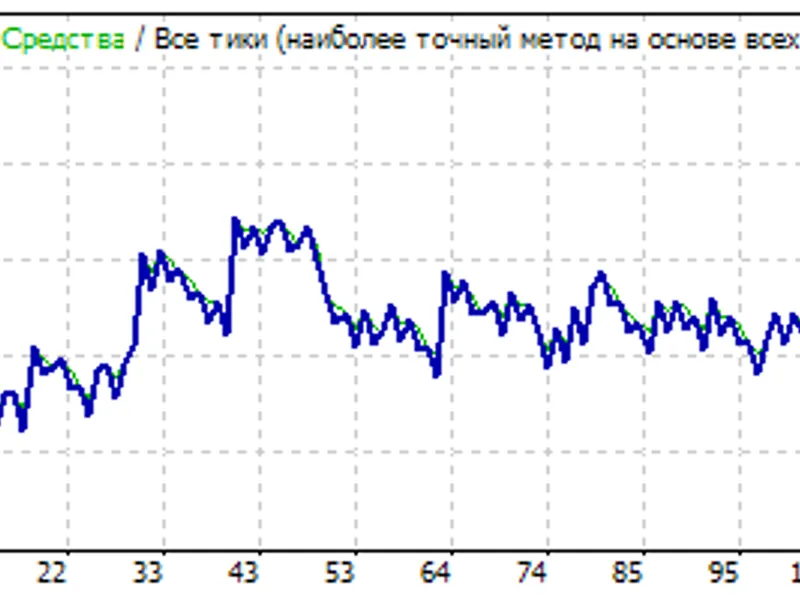
I integrated the library into the MACD sample with stop loss and tested it on the EURUSD symbol, H1 timeframe, from 01.01.2022 to 01.08.2026, using all ticks modeling with 90% quality. The figures below show randomly selected results without optimization. The first figure demonstrates fixed lot size.
You may also like: Simple Unit Test Include Library for MQL4 - excellent alternative for library users on MetaTrader 4.
Source Code
extern double takeprofit = 50;
extern double stoploss = 50;
extern double lots = 0.1;
extern double trailingstop = 30;
extern double macdopenlevel=3;
extern double macdcloselevel=2;
extern double matrendperiod=26;
#include <lot_lib.mqh>
int init()
{
.......
⚠ Limitations & Risk Warning
- This tool is provided for educational and testing purposes only.
- Past performance does not guarantee future results.
- Trading involves substantial risk of loss. Use on a demo account first.
- Results may vary depending on market conditions, broker, and settings.
- We recommend thorough backtesting and forward testing before using with real funds.