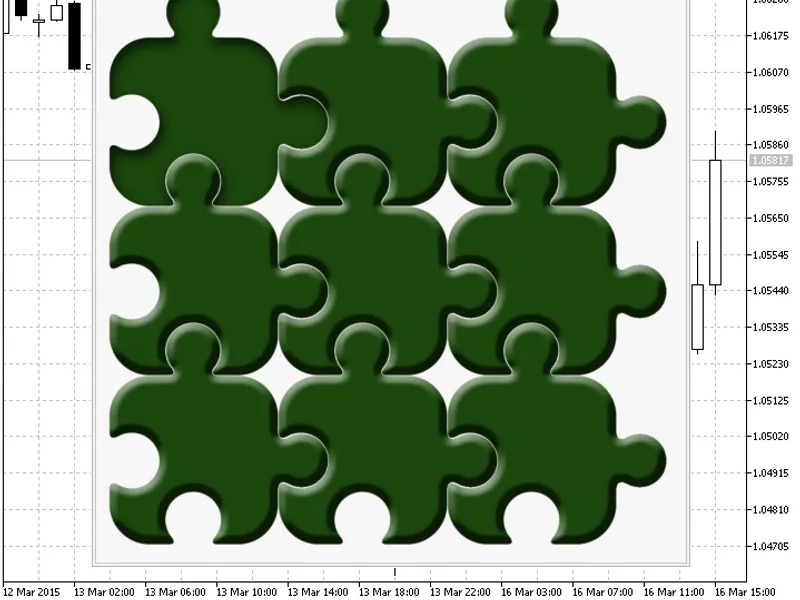
Class СBmp Button Transparent
This is a powerful addition to your MetaTrader 5 toolkit designed to optimize market analysis and performance. This library provides a collection of modular, reusable code. It is utilized by developers to organize common functions, allowing for the integration of complex logic across multiple Expert Advisors, indicators, or scripts without the need for code duplication.
How to Setup and Use Class СBmp Button Transparent
1. Storage: Place library files in the MQL/Libraries directory to ensure they are accessible to your projects.
2. Implementation: Include the library in your code using the #import directive, ensuring you match the exact function names and parameters.
3. Compilation: Ensure the library is present in the directory before you compile your main EA or script, as the compiler links them during this phase.
4. Management: Keep libraries organized in sub-folders if you manage many custom functions to maintain a clean project structure.
Frequently Asked Questions
Q: What is a library file used for? A: Libraries store reusable code modules, allowing you to centralize common logic used by multiple EAs or indicators.
Q: Is a library executable? A: No, libraries are non-executable files containing functions; they must be imported into an EA, indicator, or script to function.
Q: Can I update a library while the platform is running? A: You should compile your EA or script after updating a library to ensure the latest code changes are integrated.
Description & Settings
The class and examples were developed for a arranged by .
This class allows to handle the cursor hover and pressing the free form button.
The button is implemented using the standard object. Images should be set for four button states (normal, hovered, pressed, hovered pressed). The button shape is determined by analyzing the default state image (normal button). A set of free form regions on an image with non-zero transparency is treated as a button. The button shape can be as complex as possible. The implementation works correctly for any anchor corner () and any chart subwindow.
is required for compilation.
The archive contains the button class and 3 examples:
Buttons on a chart without a dialog box. You can set the anchor corner and the 1st point coordinates in the settings.
Buttons in an Expert Advisor dialog box.
Buttons in an indicator dialog box.
Video:
Tips:
The library is not limited to pressed buttons (as in the video). You can set the button type using the
Locking()
function.
Transparency threshold used - 250.
The library works with BMP images in 32-bit format (A8 R8 G8 B8). The image should be loaded as a resource (see examples).