Calculate Lot Percent
This software component for MetaTrader 5 is built to enhance the capabilities of your trading environment. This library provides a collection of modular, reusable code. It is utilized by developers to organize common functions, allowing for the integration of complex logic across multiple Expert Advisors, indicators, or scripts without the need for code duplication.
How to Setup and Use Calculate Lot Percent
1. Storage: Place library files in the MQL/Libraries directory to ensure they are accessible to your projects.
2. Implementation: Include the library in your code using the #import directive, ensuring you match the exact function names and parameters.
3. Compilation: Ensure the library is present in the directory before you compile your main EA or script, as the compiler links them during this phase.
4. Management: Keep libraries organized in sub-folders if you manage many custom functions to maintain a clean project structure.
Frequently Asked Questions
Q: What is a library file used for? A: Libraries store reusable code modules, allowing you to centralize common logic used by multiple EAs or indicators.
Q: Is a library executable? A: No, libraries are non-executable files containing functions; they must be imported into an EA, indicator, or script to function.
Q: Can I update a library while the platform is running? A: You should compile your EA or script after updating a library to ensure the latest code changes are integrated.
Description & Settings
The CalculateLot
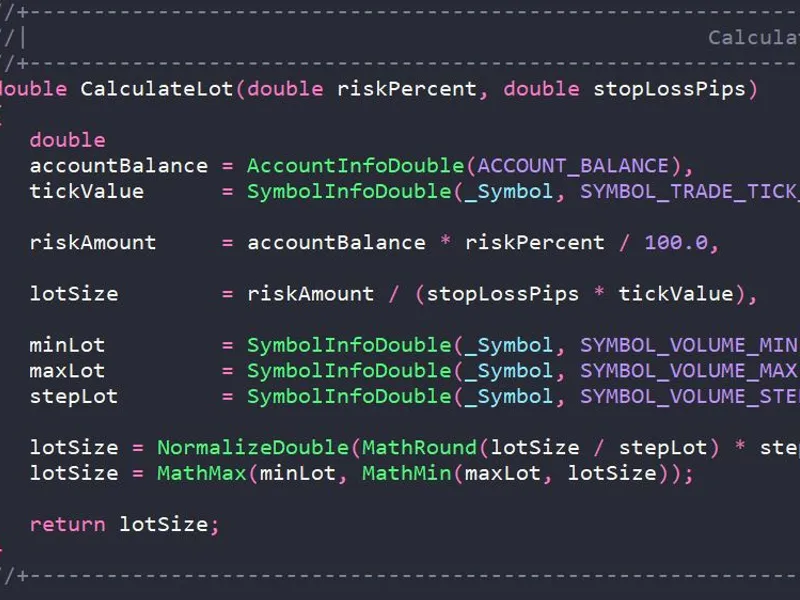
function is designed to automatically calculate the trading lot size based on risk management principles. It allows a trader to specify the percentage of the account balance he is willing to risk in a trade and, based on this, determine the optimal position volume.
Syntax Parameters Return value
The function returns the normalised lot volume ( double ), which:
Conforms to the rounding rules to the volume step ( VOLUME_STEP );
Does not exceed the maximum allowed volume ( VOLUME_MAX );
Is not less than the minimum allowed volume ( VOLUME_MIN ).
If the calculated value exceeds the allowed limits, the function returns a limited value (minLot or maxLot).
Operating algorithm
Obtaining account and symbol parameters
Current balance ( ACCOUNT_BALANCE )
Tick value ( SYMBOL_TRADE_TICK_VALUE )
Minimum, maximum and step of lot change
Calculation of risk amount in deposit currency
Calculation of lot volume
Normalisation and validation
Rounding to the nearest step ( VOLUME_STEP )
Minimum and maximum value validation
Examples of use Example 1. Basic use in an Expert Advisor Example 2. Use in a script with error checking