Spread Logger + Bid and Ask Logger
This tool for MetaTrader 4 is specifically engineered to streamline your trading operations. This technical indicator acts as a specialized analysis tool designed to visualize market data. It helps traders identify emerging trends, momentum shifts, and key support or resistance levels by plotting statistical calculations directly onto price charts.
How to Setup and Use Spread Logger + Bid and Ask Logger
1. Installation: Place your file in the MQL/Indicators folder via "Open Data Folder" and restart your terminal.
2. Loading: Find the indicator in the Navigator, drag it onto your chart, and configure the input parameters in the popup window.
3. Customization: Press Ctrl+I to open the indicator list, select your tool, and click "Properties" to change colors, levels, or visual styles.
4. Updating: Replace the old file in the Indicators folder with the new version and restart the platform to apply changes.
Frequently Asked Questions
Q: Why is my indicator not showing? A: Verify the file is in the MQL/Indicators folder, or try right-clicking the "Indicators" tree in the Navigator and clicking "Refresh."
Q: Do custom indicators slow down the platform? A: Too many complex indicators can impact performance; remove unused ones via the "Indicator List" (Ctrl+I).
Q: Can I use MT4 indicators on MT5? A: No, MQL4 and MQL5 are distinct languages; ensure the indicator is compiled specifically for your platform version.
Description & Settings
It came the time to bring my input to MQL4 community as well. Many people do not know if the brokers are honest or not on Spread with them.
I developed 2 small indicators which will allow you to see hot the spread is performing real time and for the last few minutes or whichever you can thing your platform can hold. From my experience few minutes is more then enough to see that. All this is performed real-time and you will not have past data since MT4 does not store such kind of information - unless we will program it.
During News Release on most of pairs the Spread was almost doubled or tripled - and this was on demo account. I can't wait to see what will happen on a real-account. As soon as you will apply the indicators it will start Logging the Spread + Bid + Ask for the last 500 ticks or whichever you specify in the parameter
LastTicks.
In the beginning you will have only few of them but after one minute you will see that your chart has more data.
2 simple indicators:
_x_SpreadLogger.mq4
- keeps track of the latest spreads for the currency so you can see what is the min and max during a certain type of period
_x_BidAskLogger.mq4
- keeps track of the latest Bid and Ask proces for the currency so you can see how they performed a certain type of period
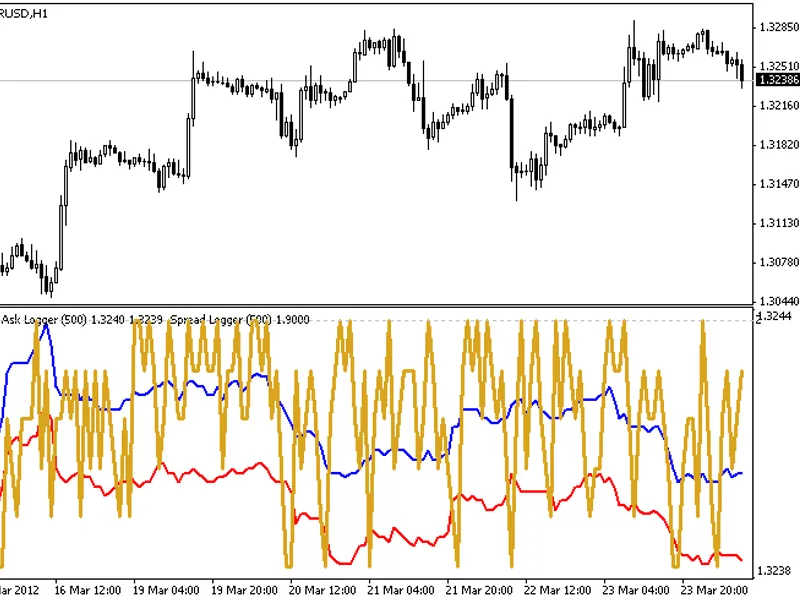
The template which comes with it allows you to apply them simultaneously to your chart - or you can apply _x_BidAskLogger first and then _x_SpreadLogger on the same subwindow or separately - as you wish
Recommendations:
Set
LastTicks
= 500(default) for optimum performance - I tried for bigger number but ussualy there is no need - 500 is enough to see the last 3-10 min
Copy the indicators to
/experts/indicators
folder
Copy the template to
/templates
folder
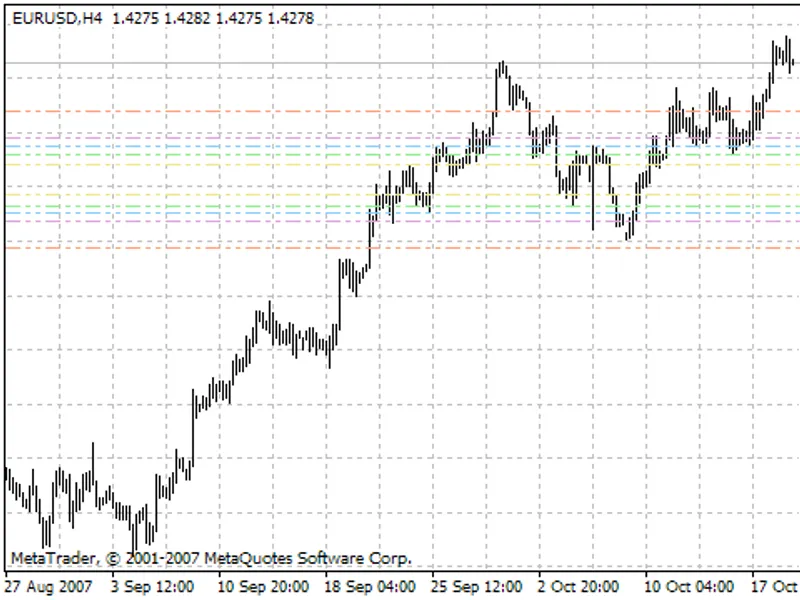
If you want the same layout as on the image apply the template
If you think that you would like to see some improvements in here feel free to comment below and I will implement them as soon as will get some time. There are some which I am working on right know but will share only when will be ready and tested. Please share your findings here with others.