SM C Liquidity Sweep and Rejection Detector
This software component for MetaTrader 5 is built to enhance the capabilities of your trading environment. This technical indicator acts as a specialized analysis tool designed to visualize market data. It helps traders identify emerging trends, momentum shifts, and key support or resistance levels by plotting statistical calculations directly onto price charts.
How to Setup and Use SM C Liquidity Sweep and Rejection Detector
1. Installation: Place your file in the MQL/Indicators folder via "Open Data Folder" and restart your terminal.
2. Loading: Find the indicator in the Navigator, drag it onto your chart, and configure the input parameters in the popup window.
3. Customization: Press Ctrl+I to open the indicator list, select your tool, and click "Properties" to change colors, levels, or visual styles.
4. Updating: Replace the old file in the Indicators folder with the new version and restart the platform to apply changes.
Frequently Asked Questions
Q: Why is my indicator not showing? A: Verify the file is in the MQL/Indicators folder, or try right-clicking the "Indicators" tree in the Navigator and clicking "Refresh."
Q: Do custom indicators slow down the platform? A: Too many complex indicators can impact performance; remove unused ones via the "Indicator List" (Ctrl+I).
Q: Can I use MT4 indicators on MT5? A: No, MQL4 and MQL5 are distinct languages; ensure the indicator is compiled specifically for your platform version.
Description & Settings
In the systemic environment of the financial markets, liquidity is the primary engine. Most retail traders place their stop losses exactly at obvious swing highs and lows, creating pools of liquidity that institutional algorithms target before a real move starts. This phenomenon is known as a "Liquidity Sweep" or "Stop Hunt."
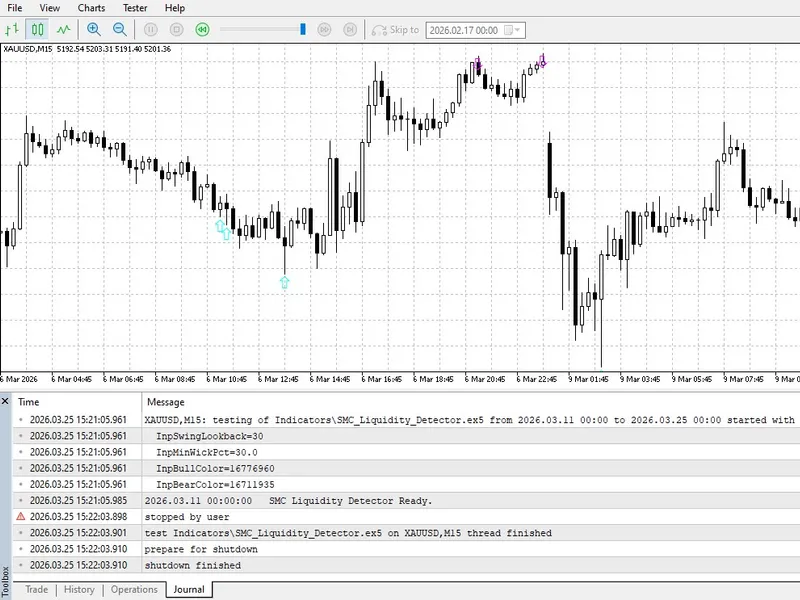
The SMC Liquidity Sweep Detector is a professional tool that monitors the market's microstructure to identify these events in real-time. It doesn't just look for price breaking a level; it specifically looks for a "Fakeout" or "Rejection" — where price breaches a previous structural high or low but fails to sustain the move, closing back inside the range.
Technical Logic and Features:
Precision Detection:
Automatically identifies and labels liquidity raids above previous Swing Highs and below previous Swing Lows.
Wick Rejection Filter:
Only signals a sweep when the breach is made by a wick, followed by a strong price rejection.
Non-Repainting:
Logic is based on closed candles, ensuring visual signals stay fixed on the chart for objective backtesting.
Modular Alerts:
Includes terminal alerts to notify the trader the exact moment institutional liquidity has been cleared.
Input Parameters:
SwingLookback:
Defines the number of candles to identify meaningful structural highs and lows.
MinWickPercentage:
The minimum percentage of the candle's total size that must be a wick to qualify as a valid rejection.
Color Settings:
Customizable colors for Bullish and Bearish sweeps to match any chart template.