Open Positiona - Updated for MT4 Build 600
This is a powerful addition to your MetaTrader 4 toolkit designed to optimize market analysis and performance. This technical indicator acts as a specialized analysis tool designed to visualize market data. It helps traders identify emerging trends, momentum shifts, and key support or resistance levels by plotting statistical calculations directly onto price charts.
How to Setup and Use Open Positiona - Updated for MT4 Build 600
1. Installation: Place your file in the MQL/Indicators folder via "Open Data Folder" and restart your terminal.
2. Loading: Find the indicator in the Navigator, drag it onto your chart, and configure the input parameters in the popup window.
3. Customization: Press Ctrl+I to open the indicator list, select your tool, and click "Properties" to change colors, levels, or visual styles.
4. Updating: Replace the old file in the Indicators folder with the new version and restart the platform to apply changes.
Frequently Asked Questions
Q: Why is my indicator not showing? A: Verify the file is in the MQL/Indicators folder, or try right-clicking the "Indicators" tree in the Navigator and clicking "Refresh."
Q: Do custom indicators slow down the platform? A: Too many complex indicators can impact performance; remove unused ones via the "Indicator List" (Ctrl+I).
Q: Can I use MT4 indicators on MT5? A: No, MQL4 and MQL5 are distinct languages; ensure the indicator is compiled specifically for your platform version.
Description & Settings
Open Positions v2 ( updated - see below)
Open Position V2 has been updated to Open Position v3a for MT4 Build 600.
Remove all old instances of Open Position v2 from all charts.
Delete all
instance
s
of the old file Open Position v2 from the experts / indicator folder
and all
instance
s
of Open Position v2 transfered to the MQL4 / Indicators folder.
Install Open Postion v3a in
MQL4 / Indicators
folder.
This indicators is a modifications of the MetaQuotes iExposure indicator.
Locked to the top right corner of the secondary window.
The indicator should open as a secondary window below the main window.
The indicator can also be dragged onto any secondary window such as Stocastics or MACD etc,
If the indicator does not open as a secondary window (unlikely) and is preferred to occupy its own secondary window then install Blank.mq4 and drag the indicator onto Blank.mq4.
The indicator is only visible when one or more positions are open.
p = points. MT4 calculates in . Compare chart p numbers in included demo image against numbers* under Profit Heading in (Account) Terminal. **
Use Column_Spacer to increase or decrease distance between columns. Too large an increment may result in the indicator moving off the display area. For finer control use decimal increments.
For bold fonts set Fonts_Bold: true.
* If you find your MT4 Terminal numbers differ from the installed Indicator proceed as follows: Open Terminal(Ctrl+T). Right-click heading Profit. Shift cursor to → Profit menu. Select → as Points.
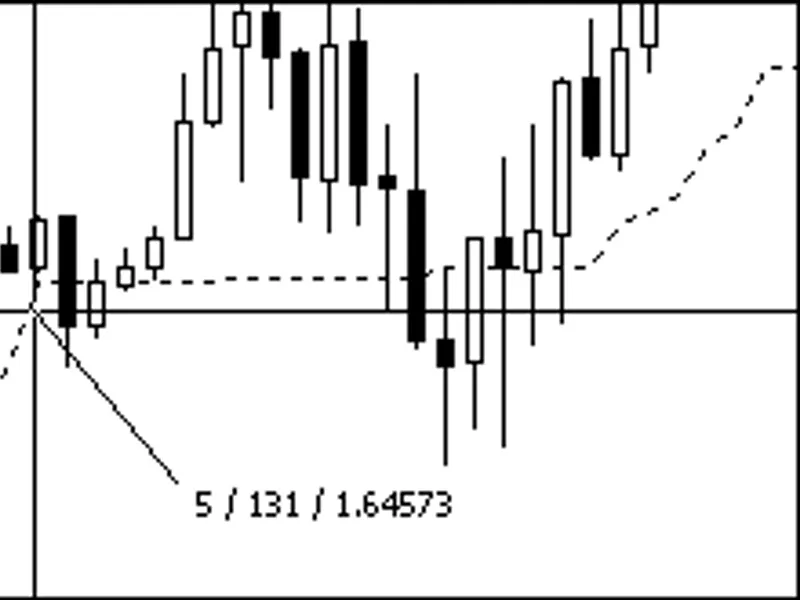
** Put focus on the chart and bring up the cross hairs (Ctrl+F) or click mouse scroll wheel. Hold the left mouse button down and drag a line at about 45 degree angle. Below image: 5 is bar displacement, 131 is price displacement in Points, 1.64573 is price.
Calculate the value of a move: The point value can be quickly calculated. As per above Image, AUDUSD (117.12/(10.43 x 18)) = (117.12/187.74) = 0.62384. In this case £0.62, but for greater accuracy retain 5 decimal placing. So a if 18 points move @ 10.43 lots = 117.12 then 180 points (18 x10 ) move at 10.43 lots = 117.12 x 10 = 1,171.20. Proof using point value: 10.43 x 180 x 0.62384 = 1,171.20.
The image illustrates trades taken to check the below cases against the MT4 Terminal values.:
A Buy profit
A buy loss
A Sell profit
A Sell loss
Tick Generator:
Indicator update can lag the terminal in fast market, on slow PCs or slow connections. A tick-generator keeps all indicators up-dating current. Says for EA but keeps indicators up-dating current as well.