Ideal Zig Zag
This is a powerful addition to your MetaTrader 4 toolkit designed to optimize market analysis and performance. This technical indicator acts as a specialized analysis tool designed to visualize market data. It helps traders identify emerging trends, momentum shifts, and key support or resistance levels by plotting statistical calculations directly onto price charts.
How to Setup and Use Ideal Zig Zag
1. Installation: Place your file in the MQL/Indicators folder via "Open Data Folder" and restart your terminal.
2. Loading: Find the indicator in the Navigator, drag it onto your chart, and configure the input parameters in the popup window.
3. Customization: Press Ctrl+I to open the indicator list, select your tool, and click "Properties" to change colors, levels, or visual styles.
4. Updating: Replace the old file in the Indicators folder with the new version and restart the platform to apply changes.
Frequently Asked Questions
Q: Why is my indicator not showing? A: Verify the file is in the MQL/Indicators folder, or try right-clicking the "Indicators" tree in the Navigator and clicking "Refresh."
Q: Do custom indicators slow down the platform? A: Too many complex indicators can impact performance; remove unused ones via the "Indicator List" (Ctrl+I).
Q: Can I use MT4 indicators on MT5? A: No, MQL4 and MQL5 are distinct languages; ensure the indicator is compiled specifically for your platform version.
Description & Settings
The most expensive function is iBarShift which totally replaces all cycles in the code needed for peaks retrieval.
All information needed to build ZZ for every bar is accessible not only in every moment but also for every extern code.
No suspended peaks
Efficient method to find peaks is available
Very fast
Works correct at history insertions and when switching TFs.
Perfect for use in EA. Disadvantages :
1. Memory requirements. This indicator uses 5 buffers instead of 2 (or even 1) in other similar implementations. But (imho) this is good price for advantages #6 and #7. None of fast ZigZags I have seen can process history insertions without full rebuild. Mine does it. Moreover it does it in efficient way
2. Additional lines are available. This is required to make the data visible for any extern code. These lines should never be visible.
Principle:
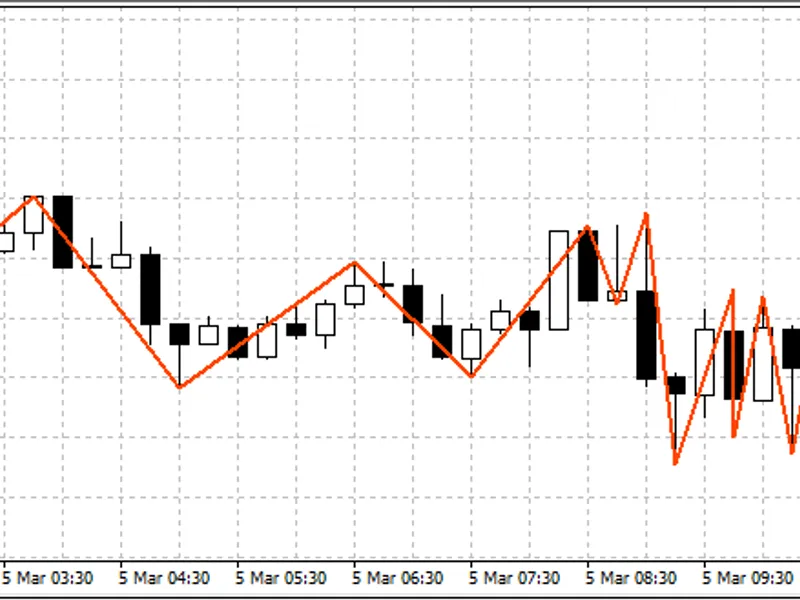
The ZZ is drawn by the channeling principle.
The channel width can be defined in Points (XLab_ZZ) or in Percent (XLab_ZZP)
Peaks retrieval:
This example is an indicator that marks (one time per bar) first five peaks (including current forming)
Attention! This code can work incorrect if 0th Bar Mode is swiched on
0th Bar Mode:
Is set with DrawZeroBar variable. Off by default.
It is not recommended to use this option, especially if the indicator is used in EA
Enjoy using it ;) . Feel free to ask any questions.
If any bugs found, please report me. Thank you.