Market Clock Pro
This professional-grade solution for MetaTrader 5 helps traders achieve greater efficiency in their daily workflow. This technical indicator acts as a specialized analysis tool designed to visualize market data. It helps traders identify emerging trends, momentum shifts, and key support or resistance levels by plotting statistical calculations directly onto price charts.
How to Setup and Use Market Clock Pro
1. Installation: Place your file in the MQL/Indicators folder via "Open Data Folder" and restart your terminal.
2. Loading: Find the indicator in the Navigator, drag it onto your chart, and configure the input parameters in the popup window.
3. Customization: Press Ctrl+I to open the indicator list, select your tool, and click "Properties" to change colors, levels, or visual styles.
4. Updating: Replace the old file in the Indicators folder with the new version and restart the platform to apply changes.
Frequently Asked Questions
Q: Why is my indicator not showing? A: Verify the file is in the MQL/Indicators folder, or try right-clicking the "Indicators" tree in the Navigator and clicking "Refresh."
Q: Do custom indicators slow down the platform? A: Too many complex indicators can impact performance; remove unused ones via the "Indicator List" (Ctrl+I).
Q: Can I use MT4 indicators on MT5? A: No, MQL4 and MQL5 are distinct languages; ensure the indicator is compiled specifically for your platform version.
Description & Settings
Market Clock Pro
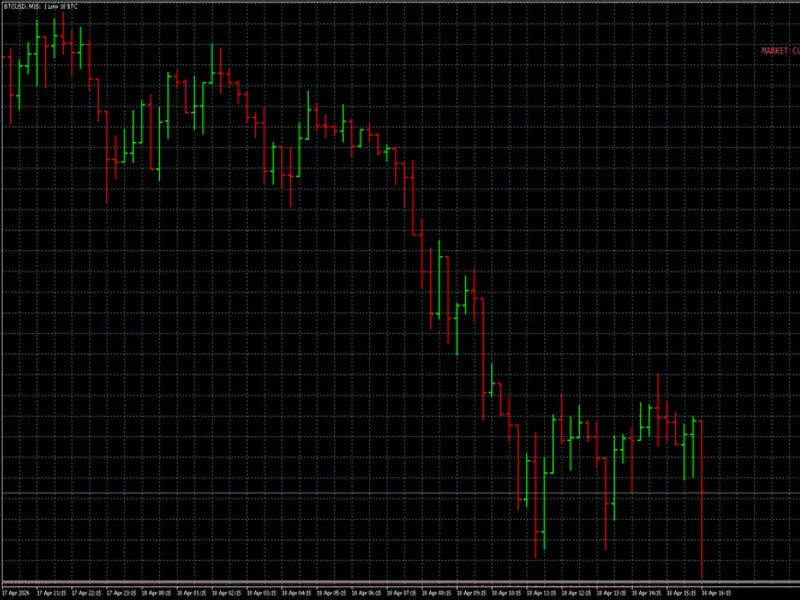
Candle countdown HUD for MetaTrader 5
It shows the time remaining to the next candle close plus contextual data: trading sessions, spread, daily range, and a market-closed state for the current symbol.
FEATURES
Candle countdown with color escalation near the close
Geographic sessions in UTC (Tokyo, London, New York, Sydney) with countdown to the nearest session end when two or more overlap
Market-closed detection with explicit reason: NYSE CLOSED (holiday), LSE CLOSED (weekend), XETRA CLOSED (session)
Automatic symbol-to-market mapping for NYSE, LSE, XETRA, TSE, HKEX, ASX, SSE. Manual override available when the broker uses non-standard tickers
Holidays calendar as plain text file (164 entries, 2026-2027)
Live spread with rolling-average anomaly detection (2x baseline)
Daily range vs ADR as percentage, lookback configurable
Configurable sound alert before the candle close
Four HUD positions, three themes (Dark / Light / Stealth)
Timeframe-aware accent color
TECHNICAL
EventSetMillisecondTimer as the sole render driver
OnCalculate is a no-op, zero indicator buffers
Every label deduplicates on text and color before ChartRedraw
No DLLs, no WebRequest, no Sleep, no external dependencies
Broker-agnostic via TimeTradeServer + SymbolInfoSessionTrade
INSTALLATION
Copy MarketClockPro.mq5 to MQL5\Indicators\
Copy holidays.txt to MQL5\Files\MarketClockPro\holidays.txt
Compile in MetaEditor (F7)
Attach to any chart The holidays file is optional. When absent or invalid the indicator falls back to broker-session-based detection.
INPUTS
Split in 5 groups: DISPLAY, MODULES, BEHAVIOR, HOLIDAYS, ALERT. Descriptions in English, defaults preloaded.
COMPATIBILITY
MetaTrader 5 on Windows. All timeframes. All asset classes (indices, forex, crypto, metals, commodities, stocks).