MA G N A RA P A X
This professional-grade solution for MetaTrader 4 helps traders achieve greater efficiency in their daily workflow. This Expert Advisor serves as automated trading software. It is utilized to monitor financial markets and execute trades based on predefined algorithmic rules, enabling precise position management without the need for constant manual oversight.
How to Setup and Use MA G N A RA P A X
1. Installation: Open the "File" menu, select "Open Data Folder," navigate to MQL/Experts, paste your file, and restart the terminal.
2. Activation: Drag the EA from the Navigator onto a chart, ensure "Allow live trading" is checked in the Common tab, and verify the AutoTrading button is green.
3. Optimization: Right-click your chart, choose "Expert List," click "Properties" to adjust inputs, and save your preferred setup as a set file for future use.
4. Maintenance: Regularly check the "Experts" tab in the terminal window to monitor trade logs and potential execution errors.
Frequently Asked Questions
Q: Why is my EA not opening trades? A: Check the "AutoTrading" button, ensure "Allow live trading" is enabled, and verify your broker allows automated trading on your account type.
Q: Can I run multiple EAs on one chart? A: No, each chart can only host one active EA; however, you can open multiple charts for different currency pairs to run several EAs.
Q: What does the "smiley face" icon mean? A: A smiley face in the top-right corner of the chart indicates the EA is successfully running; a frowny face means it is disabled.
Description & Settings
Intro:
Magna Rapax in latin aka. the Great Hunter will hunt pips for you in the wildernesses of the Forex market.It is an automated expert advisor made for any timeframe (over 1 min is recommended).
Explanation: start_lot=0.01; //order lot size TAKEPROFITPIPS=99; // take profit in pips STOPLOSSPIPS=99; // stop loss in pips MAX_ACCOUNT_RISK=25; //in percent,closes all losing trades if AccountEquity goes below AccountBalance by this amount MARTINGALE_ACTIVATOR=false; // wanna use martingale system? MARTINGALE_LEVELS=5; // what levels to go,ex level 5= 2^5 multiplicator for lot MARTINGALE_PROGRESSION=false; //false= doubles only losing trades, true=doubles all trades TOTAL_BUY_ORDERS=1; //how many buy orders to place at a time,maximum TOTAL_SELL_ORDERS=1; //how many sell orders to place at a time,maximum MAX_SLIPPAGE=3; //max slippage tolerated FAST_MACD_P=5; //fast macd period SLOW_MACD_P=35; //slow macd period SIGNAL_PERIOD=5; //signal period macd ATR_SLOW_PERIOD=24; // atr slow period ATR_QUICK_PERIOD=5; // atr quick period ADX_PERIOD=14; // adx period
ADX_LIMIT_TRIGGER=50; // trigger point which above adx will only take trades
My results:
Tips:
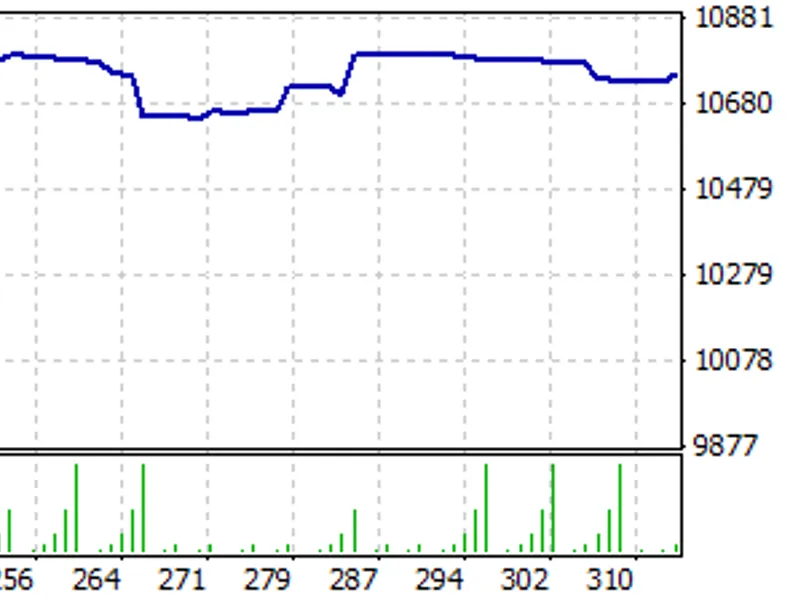
I upload my settings file, at that settings this is what you get (i also used martingale level 5)
The EA is neither complete nor optimalized, if you find a setting combination with higher win rate/profit or would like to add more features to it please contact me so i can improve the EA, after all it's our common goal ;)
This EA is only the first edition, and if you help me to improve it by backtesting and trying different combinations of settings i will improve it and upload the reworked editions
The EA also has a built in order closing function when the opposite trading signs appear,this will close seemingly losing trades, but you can also use tight stop-loss or take-profit as you wish