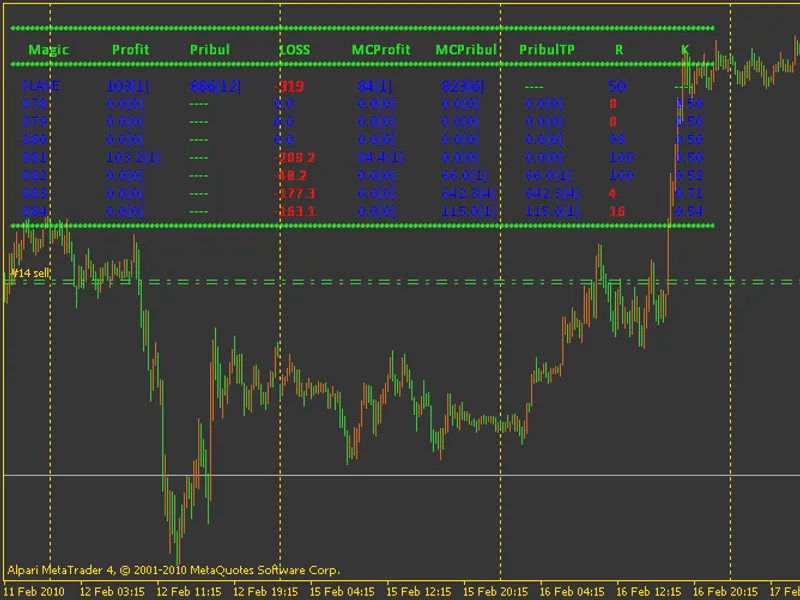
e-PS I(at)PR O C
This tool for MetaTrader 4 is specifically engineered to streamline your trading operations. This Expert Advisor serves as automated trading software. It is utilized to monitor financial markets and execute trades based on predefined algorithmic rules, enabling precise position management without the need for constant manual oversight.
How to Setup and Use e-PS I(at)PR O C
1. Installation: Open the "File" menu, select "Open Data Folder," navigate to MQL/Experts, paste your file, and restart the terminal.
2. Activation: Drag the EA from the Navigator onto a chart, ensure "Allow live trading" is checked in the Common tab, and verify the AutoTrading button is green.
3. Optimization: Right-click your chart, choose "Expert List," click "Properties" to adjust inputs, and save your preferred setup as a set file for future use.
4. Maintenance: Regularly check the "Experts" tab in the terminal window to monitor trade logs and potential execution errors.
Frequently Asked Questions
Q: Why is my EA not opening trades? A: Check the "AutoTrading" button, ensure "Allow live trading" is enabled, and verify your broker allows automated trading on your account type.
Q: Can I run multiple EAs on one chart? A: No, each chart can only host one active EA; however, you can open multiple charts for different currency pairs to run several EAs.
Q: What does the "smiley face" icon mean? A: A smiley face in the top-right corner of the chart indicates the EA is successfully running; a frowny face means it is disabled.
Description & Settings
Each of the strategies has its own Magic, which is formed from the initial
Base.Magic
adding to it the number of strategies, so to make use of the library
b-PSI@ICManager
, preferably in row
Allowed_Magics
register all used Magics through ",". Also, if the n-th number of strategies, it seemed to me that there would be superfluous, if we add to the capabilities of Councillor Traling total profit. Which can operate in two modes: Classic and MA (
TrailProfitByMA = TRUE
). Latest first draws a line of minimum profit> 2 warrants equal to 20 (set in code) units of currency depot, and then, when there is the inclusion of trailing, he draws and the price moves SL Profit. Trawl for each individual warrant from the strategy can also work on AI (
Tx.Var.TS
= 1), it can also be configured in a mode BezUbytka if
Tx.OnlyBU = True
. Feet also have two options for the formation of (
Tx.Var.STOP
: 0 - classic; 1 - By MA), and TP at
Tx.Var.STOP
=
1
can be formed in two ways: if
Tx.TP
=
0
, it will be made at MA , or
TP
=
Tx.TP
. Also regulated by the amount offered one strategy warrants -
MAX_OrdersOnTC
. Strategies used in the indicators can be set to the desired timeframe -
Period.Indicators
not necessarily coinciding with the period of the schedule. Periods of all relevant indicators, including trailing by MA, working on this parameter.
Period.New.Send
- regulates pause to open (if the conditions for the opening) of the following orders on the strategy, if
MAX_OrdersOnTC
> 1.
More details about this site can be read in that .
In the archives of all the work for the library adviser. Well, as I mentioned at the beginning, you can effortlessly add to this system of their strategy. Number of processed advisor strategies governed by a constant
#define MAX_TC
. Prescribe conditions for the individual functions of opening and closing orders, add to the external configuration variables and their strategy - working!..
WARNING!
All external variables (set adviser), linked to the dimension of the quotations have capacity for 4 digits - you put a value for 4-digits, and the adviser itself automatically recalculates the capacity depending on quotations received from DC!